- +1 (929) 563-7513
- [email protected]
- 5900 Balcones Dr Ste 58293 Austin Texas 78731

 Skip to content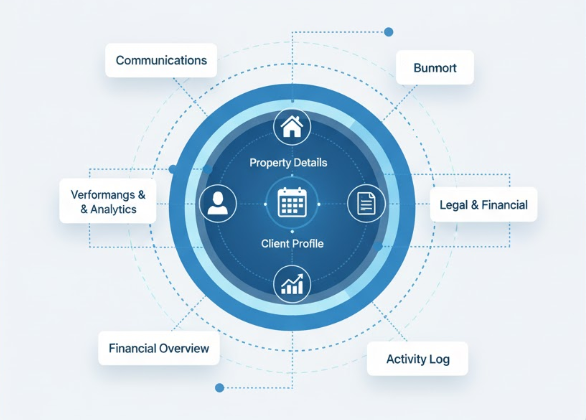
ZARIS Realty is an intelligent, all-in-one CRM built for real estate brokers and agencies. It simplifies managing your entire property portfolio, from listings to deals, and automates daily tasks like property updates and lead matching. This frees up your team to focus on clients and sales. With intuitive design and powerful analytics, ZARIS Realty streamlines operations, boosts client satisfaction, and drives significant agency growth.
Get everything your real estate business needs organized, automated, and optimized.
Handle all listings (for sale, rent, or lease) with complete details and map integration.
Let the system calculate commissions and update property statuses automatically.
Plan and track property viewings with reminders and feedback collection.
Digitize your paperwork with secure storage, templates, and e-sign integration.
Get insights on sales performance, top agents, and area-wise listings.
Automatically connect buyers and tenants with suitable properties.
ZARIS Realty is an advanced CRM system designed specifically for real estate professionals. It centralizes your operations from property listings to client management, deal tracking, and documentation giving you a complete 360° view of your business.
Built on the trusted ZARIS CRM platform, it empowers agents, managers, and business owners to work smarter, close deals faster, and deliver a superior client experience.
Highlights:

ZARIS Realty offers a complete ecosystem of modules that cover every part of your business.
Manage residential, commercial, and plot listings with ease.
Add full details: price, size, area, images, and description
Use Google Maps integration for accurate locations
Automatically mark listings as expired or sold
Attach property photos and related documents
Go paperless with organized digital documentation.
Upload ownership papers, sale deeds, and contracts
Auto-reminders for expiring documents
Pre-designed templates for NOC or lease agreements
e-Sign integration with Docusign / HelloSign
Keep every potential client organized.
Track buyers, tenants, and investors
Match properties automatically to client preferences
Send property recommendations via email or WhatsApp
Follow deal progress through status tracking
Convert leads into successful deals.
Link properties, buyers, and agents in one view
Track every stage from Inquiry to Closed Won
Auto-calculate commissions and update property status
Send closing summary emails to both parties
Simplify property visit scheduling and follow-ups.
Schedule appointments for buyers with agents
Auto-reminders before viewing time
Collect feedback and link it to contact records
Store and manage details of landlords, owners, or developers.
Record contact info, verification IDs, and addresses
Auto-email owners when new listings are added
Track active, inactive, or banned owners
Empower your team with insights and access control.
Role-based permissions for Agents, Managers, and Admins
Track commissions, deals closed, and listings handled
Measure performance with custom dashboards
Convert inquiries into opportunities automatically.
Capture leads from your website or campaigns
Auto-assign agents based on city or property type
Track inquiry source and conversion status
Zaris Real Estate CRM is built to simplify the way teams connect, collaborate, and manage customer relationships. Every feature is designed with usability and flexibility in mind helping you streamline daily tasks, improve productivity, and deliver better customer experiences.
Zaris Real Estate CRM simplifies the management of residential, commercial, and plot listings from a single dashboard. Capture complete property details including pricing, size, location, images, and descriptions, while leveraging Google Maps integration for precise location tracking. Easily manage property lifecycles by automatically marking listings as sold or expired, and keep everything organized by attaching property photos and related documents for quick access.
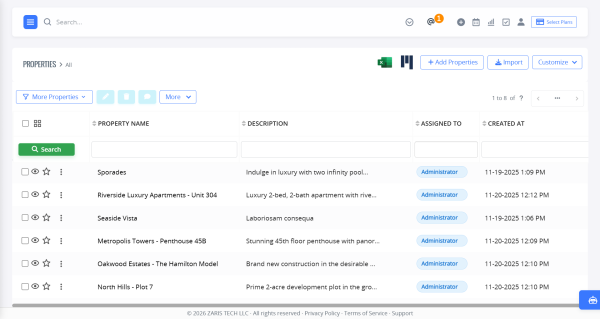
List View: The List View provides a centralized overview of all property records in a clean, tabular format. Users can quickly browse properties, apply filters, search by key attributes, and sort listings by price, status, or date. Action buttons and quick options help manage records efficiently without opening each property individually.
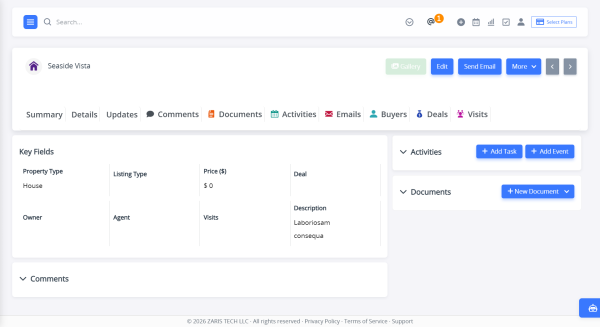
Summary View: The Summary View presents a high-level snapshot of a property, displaying essential details such as property name, status, price, location, and ownership at a glance. This view enables users to quickly understand the property’s current state and key highlights without navigating through detailed sections.
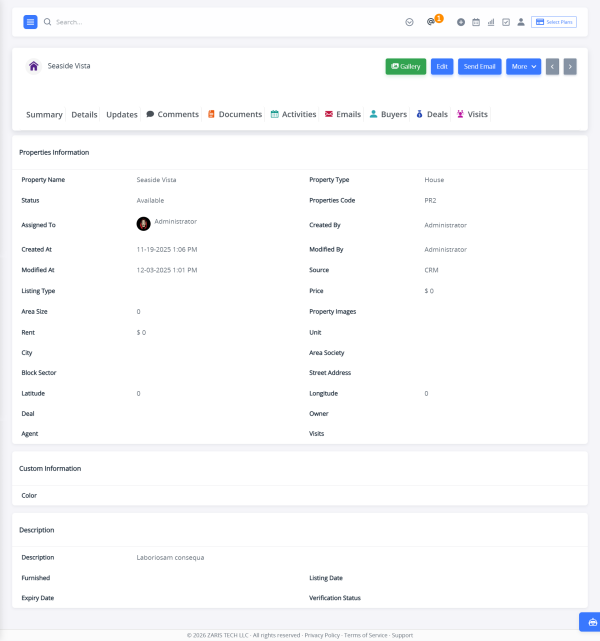
Detail View: The Detail View displays complete property information in a structured layout. It includes pricing, size, area, location, descriptions, images, documents, and status history all organized in one place. This view serves as the primary workspace for managing and updating property records.
Enhanced Property Management Experience: The Properties module offers a complete, streamlined workspace designed for efficiency and clarity. With Gallery Images, users can upload and manage multiple property photos in an organized, visually rich layout perfect for showcasing listings professionally. Related Tabs keep all connected modules such as emails, inquiries, activities, documents, and buyers, etc in one centralized view, ensuring seamless tracking and collaboration. To further boost productivity, Shortcuts provide instant access to key actions like editing property details, uploading images, attaching documents, or adding activities reducing clicks and saving valuable time.

The Viewings / Visits module streamlines the entire property visit process, from scheduling to follow-up. Easily set up appointments between buyers and agents, ensure timely attendance with automated reminders before the viewing, and capture client feedback after each visit. All feedback and visit details are linked directly to the relevant contact records, giving your team complete visibility and helping refine follow-ups and next steps.
List View: The List View displays all scheduled viewings in a structured table format, allowing users to quickly scan upcoming and past visits. Key details such as property, client, agent, date, time, and visit status are clearly visible, with search and filter options to manage schedules efficiently.
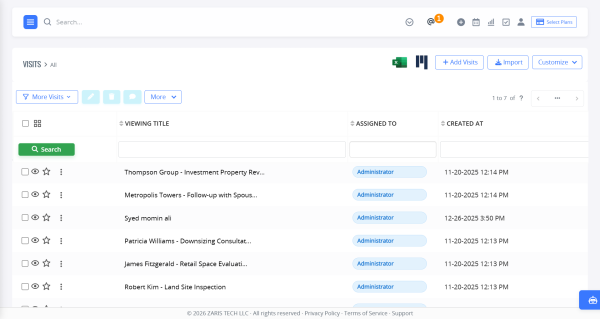
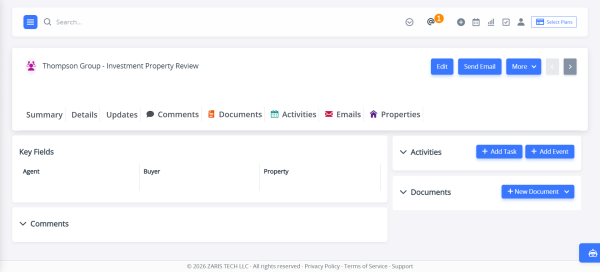
Summary View: The Summary View provides a quick snapshot of a viewing or visit. It highlights essential information such as property details, client name, visit date and time, assigned agent, and current status, enabling users to understand the visit context at a glance.
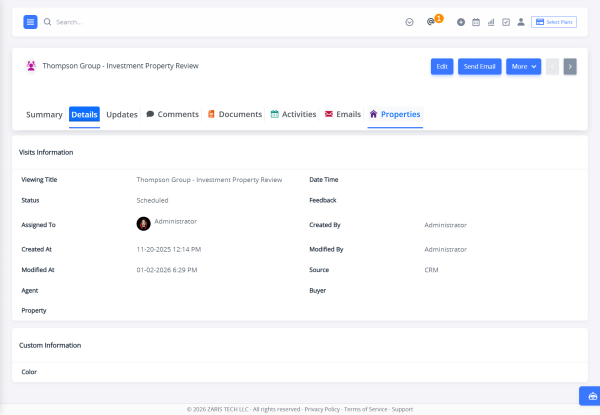
Detail View: The Detail View presents complete information related to a specific visit in one organized screen. Users can review appointment details, client feedback, notes, follow-up actions, and visit outcomes, ensuring nothing is missed after the viewing is completed.
The Owners / Developers module centralizes all information related to landlords, property owners, and developers, giving your team a structured and reliable way to manage owner relationships. From verification to communication, this module ensures transparency, compliance, and efficient coordination for property listings.
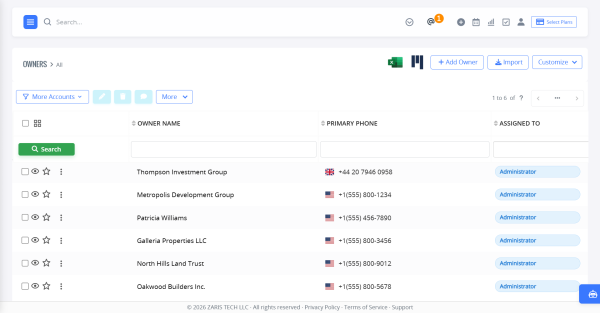
List View: The List View displays all owners and developers in a clean, searchable table. Key details such as owner name, contact information, address, and current status (Active, Inactive, or Banned) are visible at a glance, allowing quick filtering and efficient record management.
Summary View: The Summary View provides a high-level snapshot of an owner or developer profile. It highlights essential details including contact information, verification status, associated properties, and current activity status, enabling users to quickly understand the owner’s profile without navigating multiple screens.
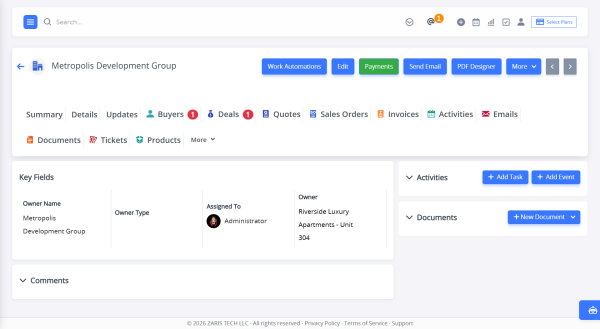
Detail View: The Detail View presents complete owner or developer information in a single, organized layout. Users can manage contact details, verification IDs, addresses, and linked properties, while also tracking communication history. Automated email notifications can be triggered to inform owners when new listings are added, ensuring timely updates and better collaboration.
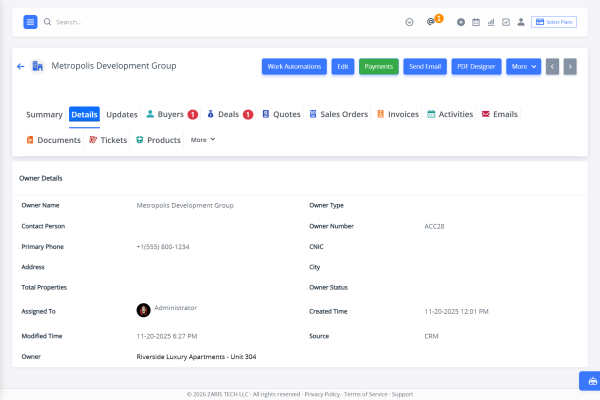
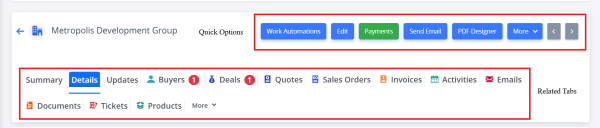
Enhanced Owners Management Experience: The Owners module offers a complete, streamlined workspace designed for efficiency and clarity. With Payments, users can manage their payments in an organized way. Related Tabs keep all connected modules such as emails, inquiries, activities, documents, and buyers in one centralized view, ensuring seamless tracking and collaboration. To further boost productivity, Shortcuts provide instant access to key actions like editing property details, uploading images, attaching documents, or adding activities reducing clicks and saving valuable time.
Turn your leads into successful deals with a fully integrated workflow. Link properties, buyers, and agents in a single view to get complete visibility of each transaction. Track every stage from initial inquiry to “Closed Won,” while automatically calculating commissions and updating property status. Keep all parties informed with automated closing summary emails, ensuring a seamless and efficient deal-closing process.
List View: The List View provides a centralized overview of all deals records in a clean, tabular format. Users can quickly browse deals, apply filters, search by key attributes, and sort listings by price, status, or date. Action buttons and quick options help manage records efficiently without opening each property individually.
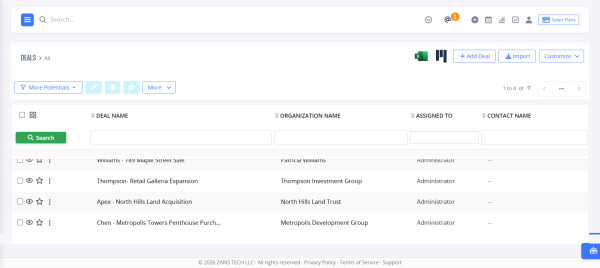
Summary View: The Summary View presents a high-level snapshot of a deals, displaying essential details such as deal name, status, price, location, and ownership at a glance. This view enables users to quickly understand the deal’s current state and key highlights without navigating through detailed sections.
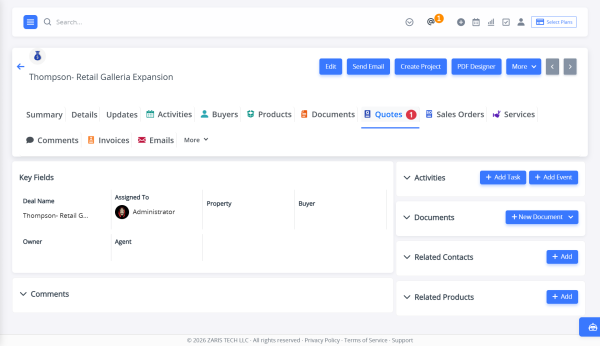
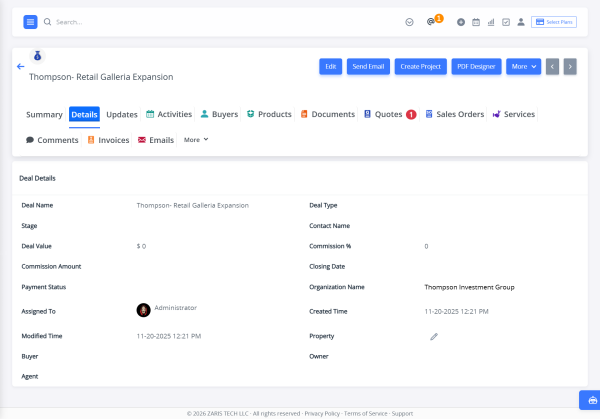
Detail View: The Detail View displays complete deal information in a structured layout. It includes pricing, size, area, location, descriptions, images, documents, and status history all organized in one place. This view serves as the primary workspace for managing and updating property records.
The Agents / Users module is designed to empower your real estate team with clear visibility, performance insights, and secure access control. It helps managers oversee team activities, track productivity, and ensure every user has the right tools and permissions to perform their role effectively.
List View: The List View displays all agents and users in a structured, easy-to-manage format. You can quickly see user roles (Agent, Manager, Admin), active or inactive status, assigned listings, and deal counts. Search and filter options make it simple to manage teams of any size and identify top performers instantly.
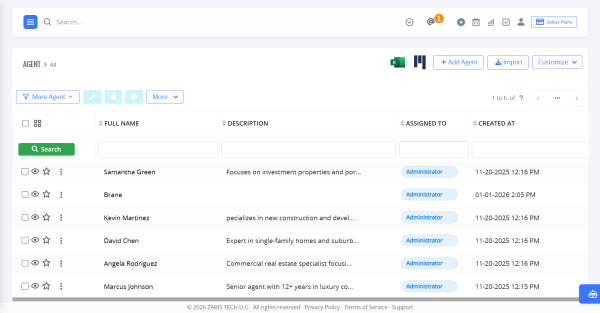
Summary View: The Summary View provides a high-level snapshot of an agent’s performance. It highlights key metrics such as total deals closed, active listings, commissions earned, and recent activities, allowing managers to assess productivity and workload at a glance.
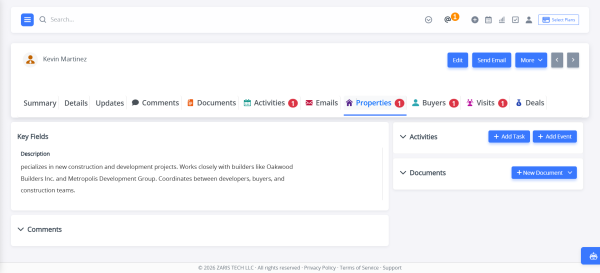
Detail View: The Detail View offers a complete profile for each agent or user. It includes personal details, role-based permissions, assigned properties, commission structures, and deal history. From here, administrators can control access levels, update roles, and ensure data security across the platform.
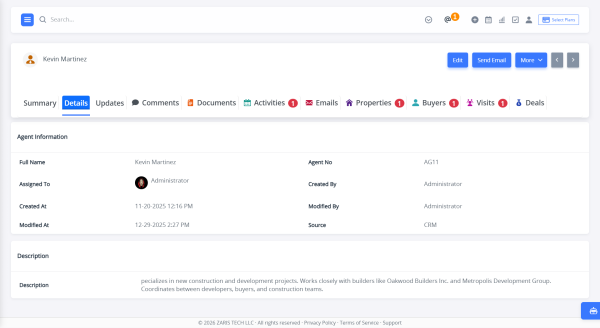
Related Tabs & Shortcuts
Related Tabs connect agents with all associated records, including listings, leads, viewings, deals, commissions, and activity logs. This ensures every interaction and contribution is easily accessible from one place.
Shortcuts provide quick actions such as assigning listings, updating permissions, logging activities, or reviewing commission reports. These time-saving tools reduce manual effort and help teams stay focused on closing deals and driving results.

Streamline your lead management by converting inquiries into opportunities automatically. Capture leads directly from your website or marketing campaigns, and ensure timely follow-up with intelligent auto-assignment of agents based on city or property type. Monitor each inquiry’s source and track its conversion status to optimize your sales pipeline and improve overall efficiency.
Effortless Customer Support & Query Tracking
The Tickets Module is designed to streamline customer support by converting every issue, query, or request into a trackable ticket. From reporting a problem to its resolution, the entire lifecycle of customer service is managed in one place, ensuring faster response times and improved customer satisfaction.

Comprehensive Ticket Information
The Ticket Detail View offers a complete snapshot of each ticket in one screen, showing the title, assigned user, priority, status, description, and history in a structured layout. A visual progress bar at the top highlights the current stage Open, In Progress, On Hold, or Closed so agents can instantly track resolution status. With all information and updates available in one place, teams gain clear visibility, faster decision making, and improved collaboration for quicker ticket resolution.

Quick View of Tickets
The Quick View option allows users to instantly preview ticket details without leaving the main list. By clicking the eye icon on any ticket, a side popup opens, displaying key information such as title, assigned user, priority, status, and description. This feature saves time by providing a fast, convenient way to review ticket data and updates without navigating to the full detail page, making ticket management more efficient and seamless.

Find Answers Instantly in Our Knowledge Hub
The FAQs main page displays a list of common questions and their answers, organized by categories for easy navigation. These are helpful for quickly search or browse to resolve their queries without waiting.

Step-by-Step Guidance for Common Issues
The Detail View provides full answers with detailed explanations, links to guides, or related FAQs for deeper assistance.

Centralized File Storage & Easy Access
The Documents Module acts as a secure, centralized repository for all your business files. Whether it’s proposals, contracts, invoices, user guides, or internal resources, every important document can be stored, categorized, and shared directly from the CRM making collaboration seamless and efficient.
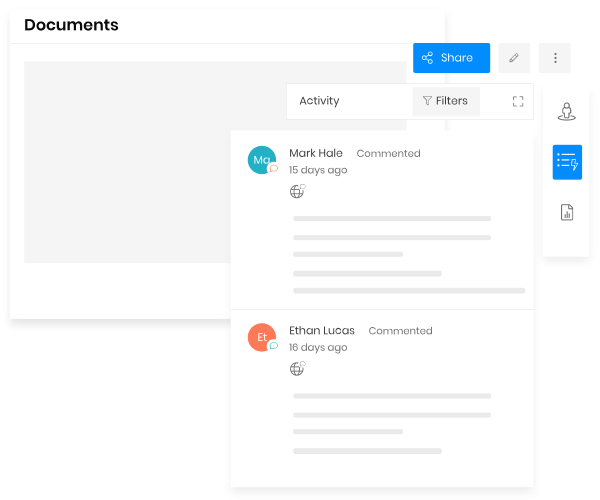
Collaborate privately with contacts on sensitive documents through the document viewer
Exchange messages right on the document viewer. Need to involve someone else? Invite them using the share button. CRM users receive in-CRM notifications of new comments, while other contacts receive email notifications. This keeps everyone in the loop driving deals forward.
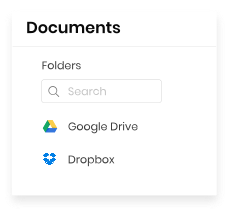
Integrate with Dropbox and Google Drive
Get virtually limitless storage, and share files with those outside the organization by integrating with the most common third-party file-sharing providers.
Tailor the CRM to your needs with custom layouts, PDF templates, login branding, and flexible interface options.
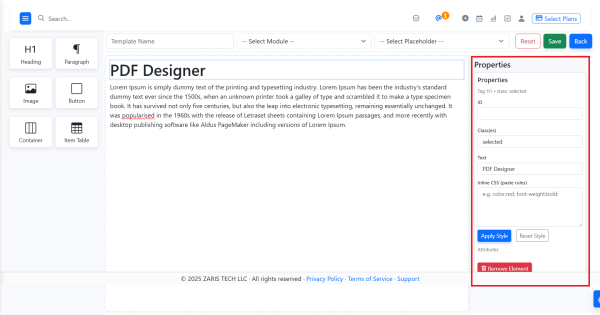
The PDF Designer Module in Zaris CRM is a powerful tool that allows you to create unlimited, fully customizable templates for both standard and custom modules. With its intuitive interface, users can design dynamic, HTML-rich templates that can be exported as PDFs, sent directly via email, or saved as documents for future use. Whether it’s business proposals, invoices, contracts, or reports, the PDF Designer makes it simple to deliver professional and consistent documents that enhance customer experience and streamline internal processes.
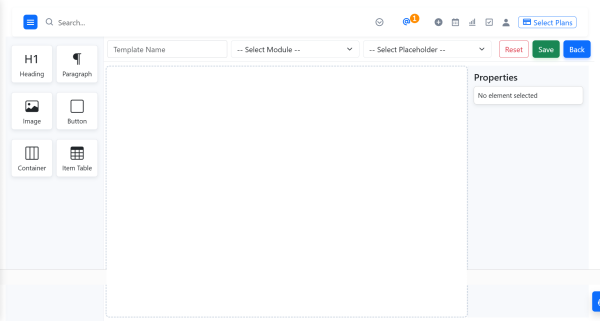
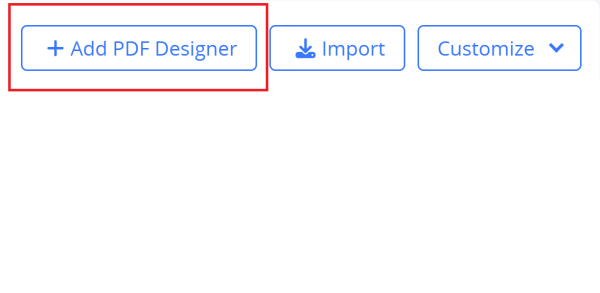
How to Add a PDF Designer
Design the Template
You have two main ways to build the template:
A. Use WYSIWYG / Drag & Drop editor (recommended)
B. Use Existing HTML
Personalize Your CRM Login Experience
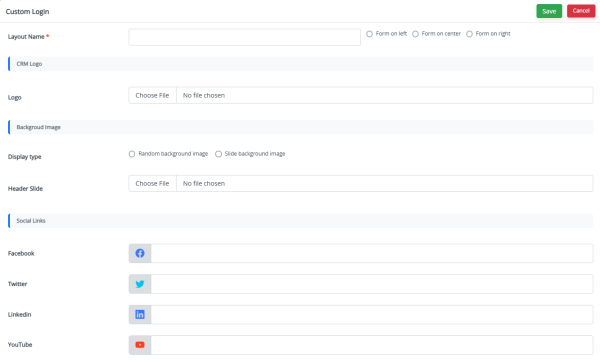
In the Custom Login Page Module, you have full control over creating, editing, and managing multiple login page layouts. The interface provides a clear list of all saved layouts with essential details such as Layout Name, Logo, Social Icons, and Slide Images.
This makes it easy to keep track of different designs, switch between them, and update any element to match your branding needs.
How It Works
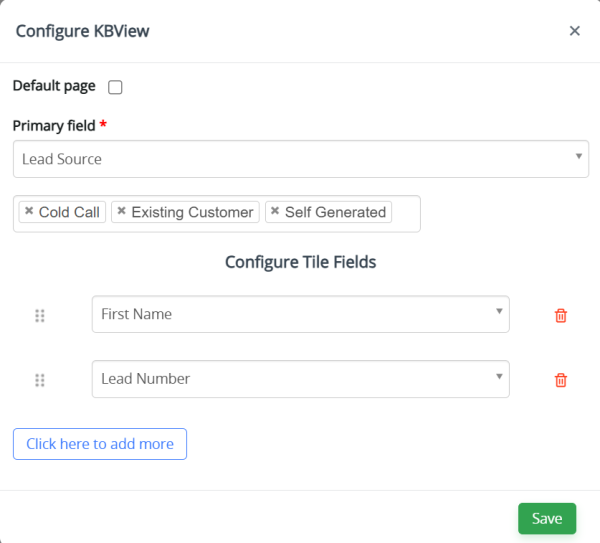
Kanban View Overview
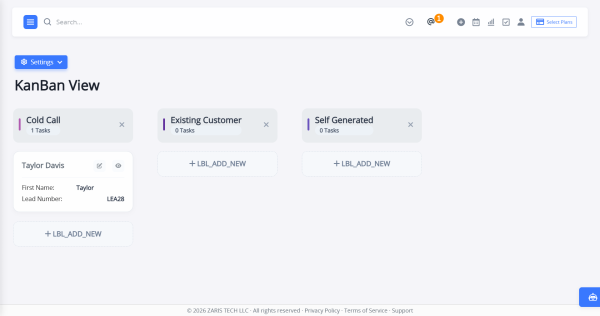
The Kanban View Module provides a visual way to manage records across different stages of a process. It helps users quickly track, organize, and update records through an intuitive drag-and-drop interface. This feature is accessible in every module by clicking the Kanban Icon located next to the action buttons in the module header.
Configuring Kanban View
The Settings button in the top-left corner allows users to customize their Kanban View based on their preferences.
You can:
Extend Zaris Real Estate CRM functionality with AI assistance, customer portals, custom buttons, and UI enhancements for a more powerful experience.
What is Zaris AI Assistant?
Zaris AI Assistant is a smart chatbot built into the CRM that answers user queries in real time. It helps you quickly find information, understand features, and resolve issues without switching screens or searching through guides. By providing instant assistance, Zaris AI Assistant ensures users can work faster and more efficiently within the CRM.
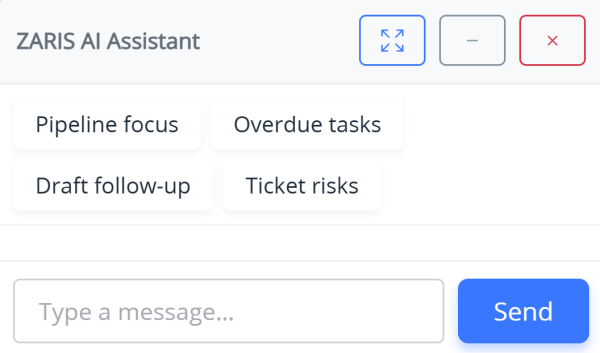
Zaris AI Assistant Window Controls
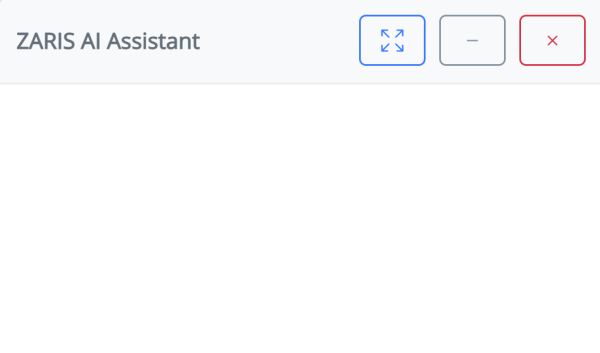
The Zaris AI Assistant comes with easy-to-use window controls that let users adjust the chat panel based on their working preferences. These controls ensure flexibility while interacting with the assistant alongside CRM tasks.
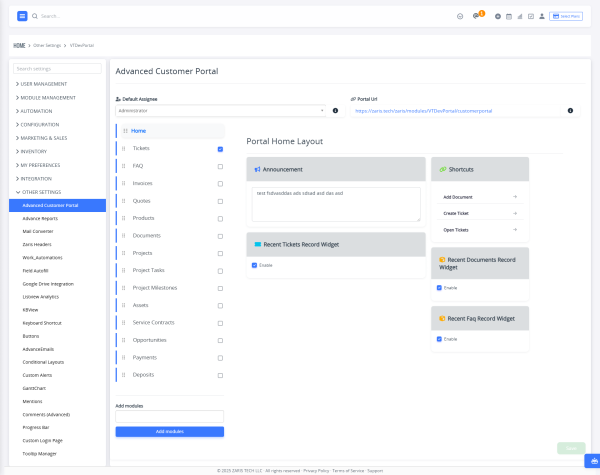
The Advanced Customer Portal transforms your Zaris Real Estate CRM into a powerful, self-service hub for your clients. Provide a centralized, branded platform where customers can access their invoices, track support tickets, manage projects, and pay bills anytime, anywhere. Reduce routine inquiries and administrative tasks while significantly enhancing the customer experience.
Move beyond basic support with a fully customizable portal that deepens client relationships and automates your service workflow. Our Advanced Customer Portal extends your Zaris Real Estate CRM into a comprehensive, secure, and white-labeled platform for your customers.
Go far beyond standard ticketing to offer seamless access to:
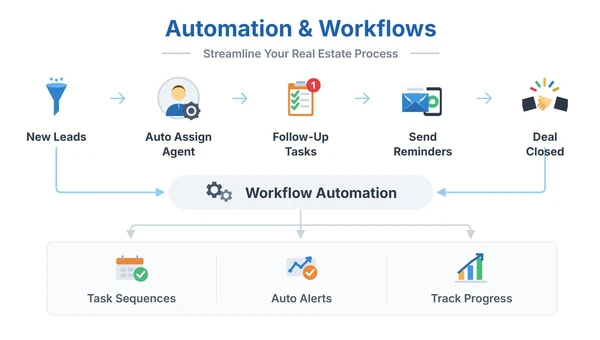
Let automation handle repetitive work so your team can focus on closing deals.
✅ Auto-update property status when a deal closes
✅ Auto-create viewings when buyers book visits
✅ Instant email/SMS notifications to owners and agents
✅ Match properties with buyers automatically
✅ Reminder alerts for upcoming viewings or document expiries
Connect ZARIS Realty with essential tools to streamline your real estate operations.

Display accurate property locations and nearby landmarks on maps.

Manage contracts digitally with secure e-signatures for faster, paperless deal closures.

Communicate instantly with clients through automated messages and alerts.

Publish & synchronize property listings directly to major real estate portals online.
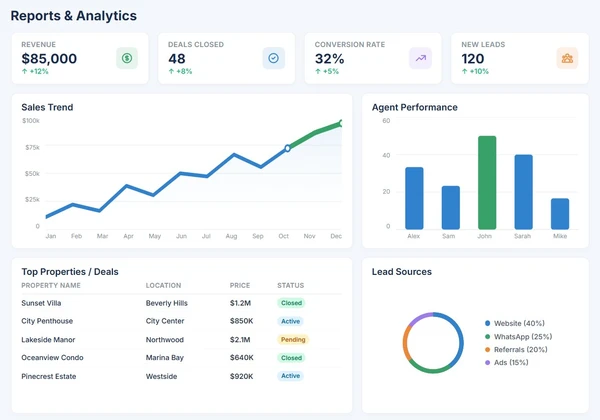
Visualize your data and turn performance metrics into business growth.
Make smarter decisions with powerful real-time dashboards.
Properties by Type & Area
Top Performing Agents
Monthly Sales and Rental Revenue
Average Days to Close Deals
Lead Conversion Ratios
Give every stakeholder secure access and the visibility they need to stay connected.
Manage assigned properties, handle leads, and track deal progress all from their personalized dashboard with limited data access for privacy and accuracy.
Enjoy full control over CRM data, configurations, and user roles. Admins can monitor system activity, generate reports, and oversee performance across all modules.
Access the dedicated customer portal to upload property documents, review verification status, and stay informed about ongoing sales or rental progress.
Log in to view recommended listings, check visit schedules, and monitor purchase or rental progress directly from their personalized buyer portal.
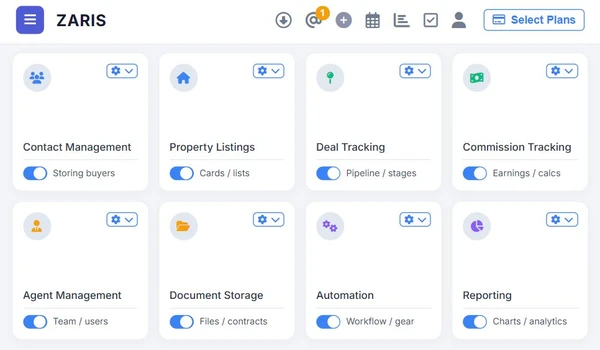
Why real estate professionals choose ZARIS Realty
💼 All-in-One Platform: Manage listings, clients, and deals in one place.
⚙️ Automated Operations: Save time with workflow automation.
📊 Data-Driven Insights: Make smart decisions with real-time analytics.
🤝 Enhanced Client Experience: Communicate faster and more transparently.
💰 Faster Closures: Increase conversions and revenue effortlessly.
Zaris CRM helped us streamline our sales process and improve team collaboration from day one.

The platform is simple to use yet powerful enough to handle all our business operations.
We’ve seen a noticeable boost in productivity since moving to Zaris CRM.
Here are answers to the most common questions about starting with ZARIS Realty, migrating your data, and understanding our core functionalities. Click on a question to see the answer.
ZARIS Realty is a complete Real Estate CRM software that helps property dealers, brokers, and developers manage listings, clients, deals, and documents all from a single platform.
Yes, ZARIS Realty is fully customizable. You can modify modules, fields, and workflows according to your agency’s specific process and team structure.
Absolutely. You can add multiple users with different roles such as Agent, Manager, or Admin. Each user will have access only to their assigned data and modules.
Yes, it’s a cloud-based CRM accessible from any device desktop, tablet, or mobile ensuring your team can work efficiently from anywhere.
Yes, ZARIS Realty integrates with Google Maps, WhatsApp, Docusign, and popular property portals like Zameen.com for seamless data synchronization and automation.
Experience the power of Zaris CRM streamline sales, boost marketing, and deliver outstanding customer experiences, all in one platform. Start today with zero risk.
Zaris CRM is an all-in-one platform designed to simplify sales, marketing, and customer management. Built for businesses of all sizes, we help you connect teams, streamline processes, and grow smarter.
©2026 Zaris Tech, All Rights Reserved.
 Optimized by Seraphinite Accelerator