 Skip to content
Two Factor Authentication
- Home
- Zaris Features
- Two Factor Authentication
Two-Factor Authentication Settings – Admin User Guide
The Two-Factor Authentication feature in ZARIS CRM provides an additional layer of security beyond passwords by requiring a second verification step during login. Administrators can enforce 2FA policies, monitor authentication activity, and protect user accounts from unauthorized access, phishing, and credential-based attacks. Two-factor authentication is widely recognized as one of the most effective ways to reduce account compromise and improve organizational security.
Part 1: Managing 2FA Settings
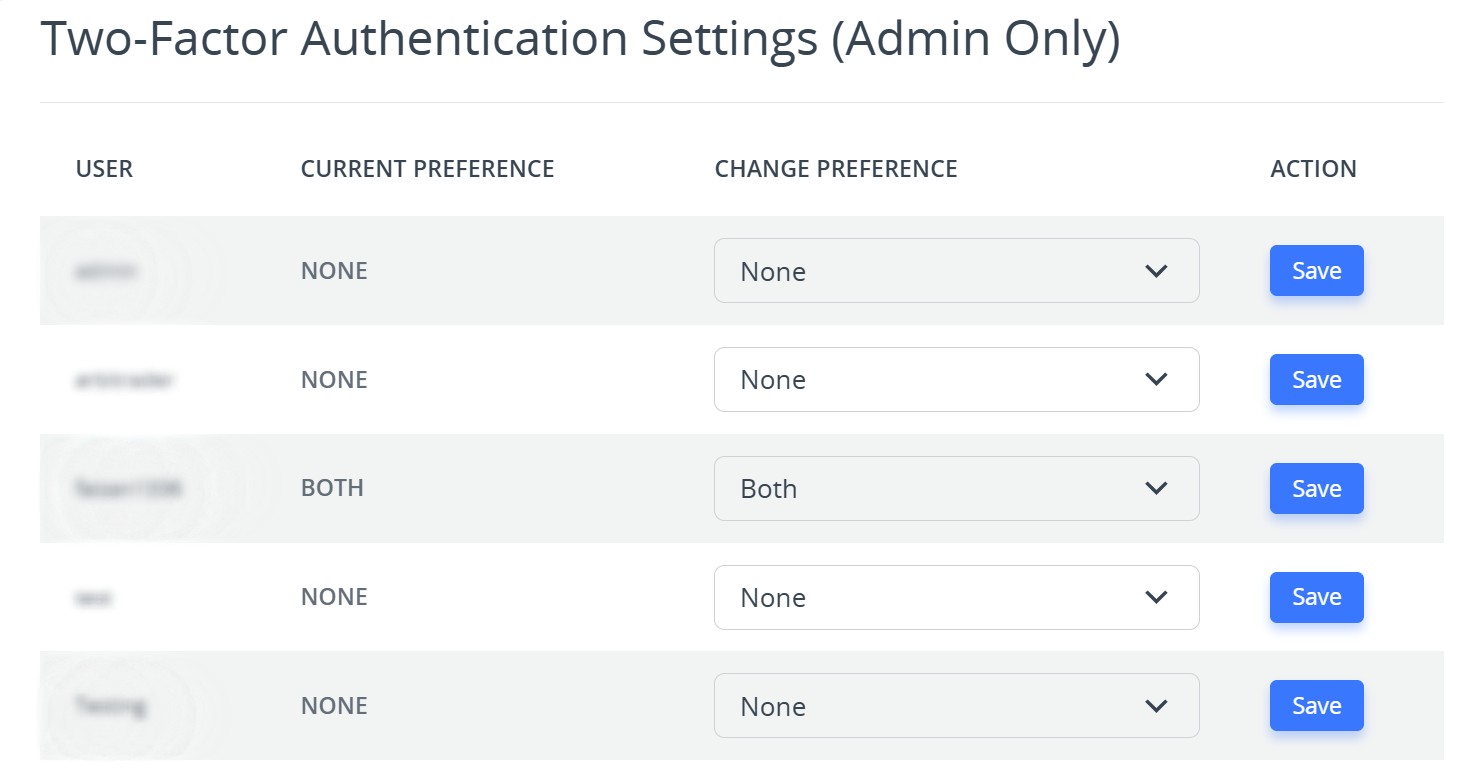
This section displays a list of all system users and their current 2FA status. As an admin, you can easily update security preferences for individual users.
Change Preference Options:
Each user record includes a Change Preference dropdown. Here’s what each option means:
- None: Disables two-factor authentication for the user. (Lowest security level)
- Email OTP: Requires users to enter a one-time password (OTP) sent to their registered email address during login.
- Google Authenticate (Authenticator App): Users must enter a time-based code generated by an authenticator app (such as Google Authenticator).
- Both: Enforces the highest level of security users must verify both Email OTP and Authenticator App code before accessing their account.
After selecting the desired option, click the Save button in the Action column to apply the new preference for that user.
Part 2: 2FA Activity Tracking
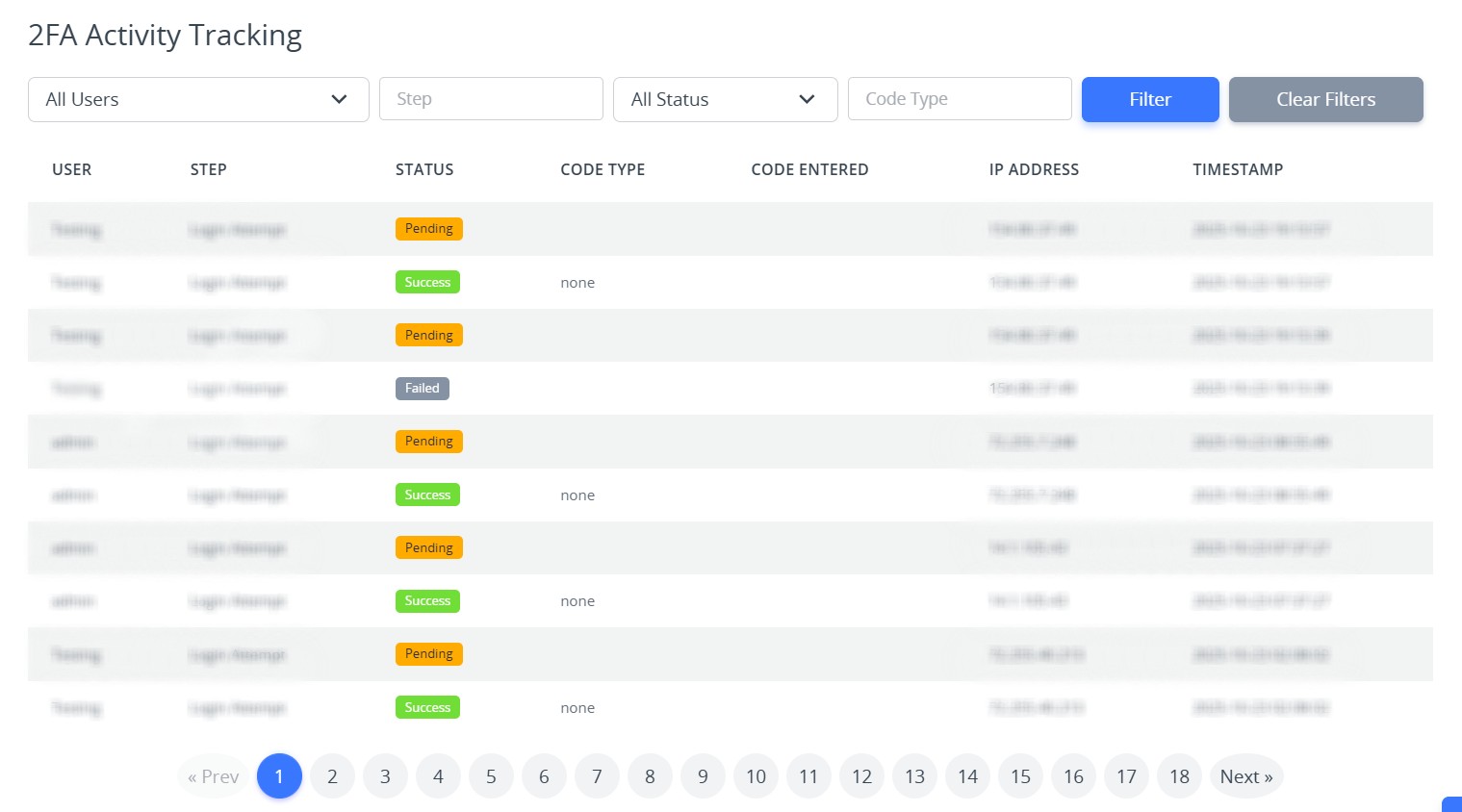
This section serves as a security log that records all two-factor authentication activities within your system.
2FA Audit Log and Filters:
Each entry provides details such as:
- User: The account involved in the login attempt.
- Status: Whether the authentication attempt was successful or failed.
- Code Type: Indicates which 2FA method was used (Email OTP, Google Authenticator, or Both).
- IP Address: Shows the location source of the login attempt.
- Timestamp: Displays the exact date and time of the event.
Admins can use filters (by User, Status, or Code Type) to quickly locate specific events, identify login issues, or detect suspicious activities.
Key Benefits of Two-Factor Authentication in ZARIS CRM
The Two-Factor Authentication feature helps organizations secure user accounts by requiring an additional verification method during login. It reduces the risk of unauthorized access, strengthens data protection, and gives administrators greater control over account security.
Enhanced Security:
Protects accounts from unauthorized access, even if passwords are compromised.
Flexible Authentication Options:
Choose between Email OTP, Authenticator App, or both to match your organization’s security needs.
Centralized Control:
Admins can easily configure and monitor all user 2FA settings in one place.
Transparency & Accountability:
Activity logs provide visibility into every authentication attempt, supporting compliance and audits.
