 Skip to content
PBX Manager
- Home
- Zaris Features
- PBX Manager
Seamless telephony integration for smarter communication.
The PBX Manager module in Zaris CRM integrates your telephony system directly with the CRM, allowing you to manage, monitor, and track calls with ease. By bridging the gap between your phone system and CRM data, it ensures your communication is smarter, faster, and more productive.
From ring to logged follow-up
Click-to-call
Start calls from Leads, Contacts, or Opportunities with one click fewer misdials and faster outreach.
Screen popups
Incoming calls trigger real-time notifications with caller details, history, and open deals.
Call log & recording
Every call logs status, duration, customer, and user with optional recordings stored on the record.
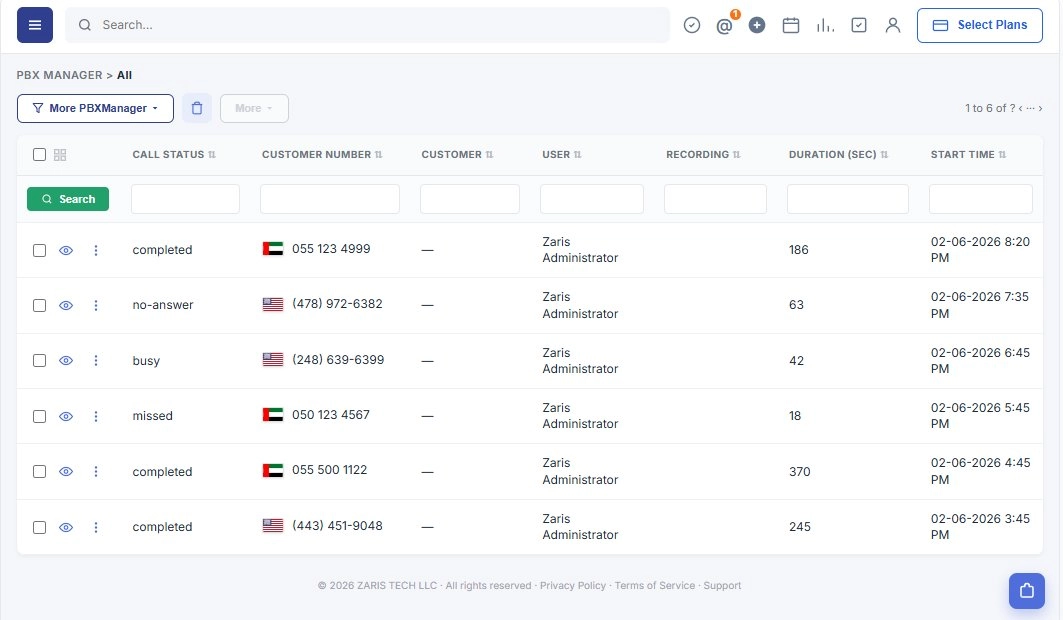
Track every call in PBX Manager
The PBX Manager list shows your complete call feed status, customer number, linked customer and user, recording link, duration, and start time. Filter any column and use list actions when records are selected.
- Call Status, Customer Number, Customer, User, Recording, Duration (SEC), Start Time.
- More PBXManager views, delete, and More bulk actions.
- Empty state when no call records match your filters yet.
Integration settings
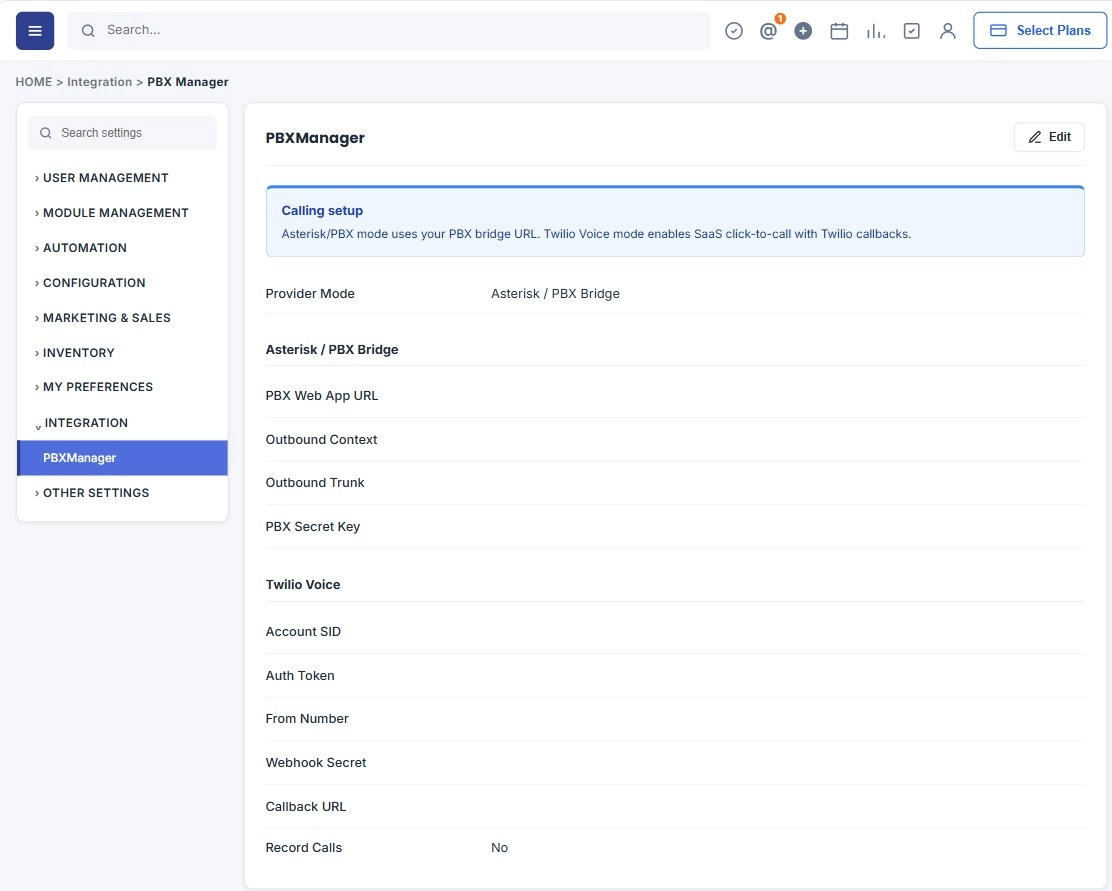
Configure your Asterisk / PBX connection
Under Settings → Integration → PBXManager, review your telephony connection details. Click Edit to update the Zaris Asterisk App URL, outbound context, outbound trunk, and secret key after installing the connector on your Asterisk server.
- Sidebar navigation with Integration expanded and PBXManager selected.
- Read-only summary of URL, context, trunk, and secret key fields.
- Setup note for Zaris Asterisk Connector installation.
Edit configuration
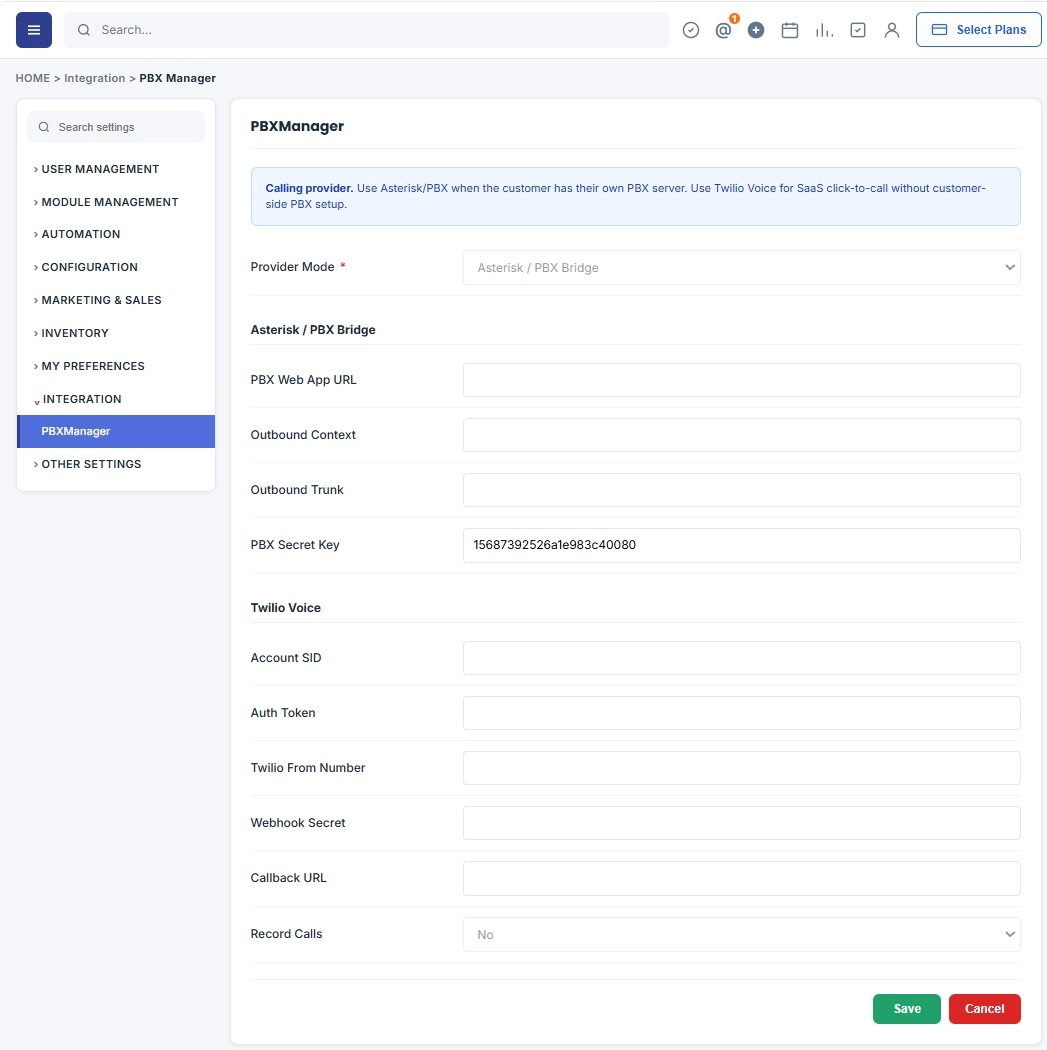
Save your PBX connection details
In edit mode, enter required Asterisk connector values and click Save. Use the documented URL format so Zaris CRM can reach your Asterisk app for example http://0.0.0.0:5000.
Telephony built into your CRM workflow
Handle calls, context, and compliance without leaving Zaris CRM.
Inbound & Outbound Call Management
The PBX Manager enables you to handle both incoming and outgoing calls directly from the CRM interface. When a client or lead calls, the system automatically identifies the contact and displays their details on screen, allowing your team to greet them personally and provide a tailored experience.
Click-to-Call Functionality
Instead of dialing numbers manually, users can initiate calls with a single click from within the CRM. This reduces errors, saves time, and boosts efficiency when managing large volumes of client interactions.
Custom Feed View
Every call is automatically logged into the CRM with details such as call time, duration, status, and related contact or lead. This ensures complete visibility into communication history, which is critical for follow-ups and performance tracking.
Integration with CRM Modules
The PBX Manager connects seamlessly with modules like Leads, Contacts, Organizations, and Opportunities. For example, when receiving a call from a lead, the system instantly displays related records, pending tasks, or open deals, helping sales teams respond more effectively.
Call Recording Support
With integrated call recording, important conversations can be stored securely in the CRM. Recordings can be used for training, quality assurance, and compliance, ensuring no detail is lost.
Real-Time Notifications & Popups
As soon as a call comes in, a screen popup notifies the assigned user with caller details, previous interaction history, and related opportunities. This feature ensures your team never misses critical context during calls.
Benefits of PBX Manager
Smarter calls, happier customers, and one source of truth for your team.
Improved Productivity
Save time with click-to-call, automatic logging, and instant popups.
Enhanced Customer Experience
Deliver personalized interactions by accessing client details before answering a call.
Centralized Communication Records
Keep all call history, recordings, and notes linked to CRM data for easy reference and better collaboration.
