 Skip to content
Work Automations
- Home
- Zaris Features
- Work Automations
How Work Automations Improve Business Efficiency
The Work Automations feature in ZARIS CRM helps businesses eliminate repetitive manual work by automatically executing predefined tasks whenever specific conditions are met. Instead of relying on employees to remember routine actions, Work Automations ensure every workflow is completed accurately and on time.
Whether it’s assigning leads to sales representatives, sending follow-up emails, updating record statuses, or notifying team members, Work Automations reduce administrative overhead and improve operational consistency. This enables organizations to save valuable time, reduce errors, and focus on business growth rather than repetitive processes.
Automate Your Workflows, Save Time
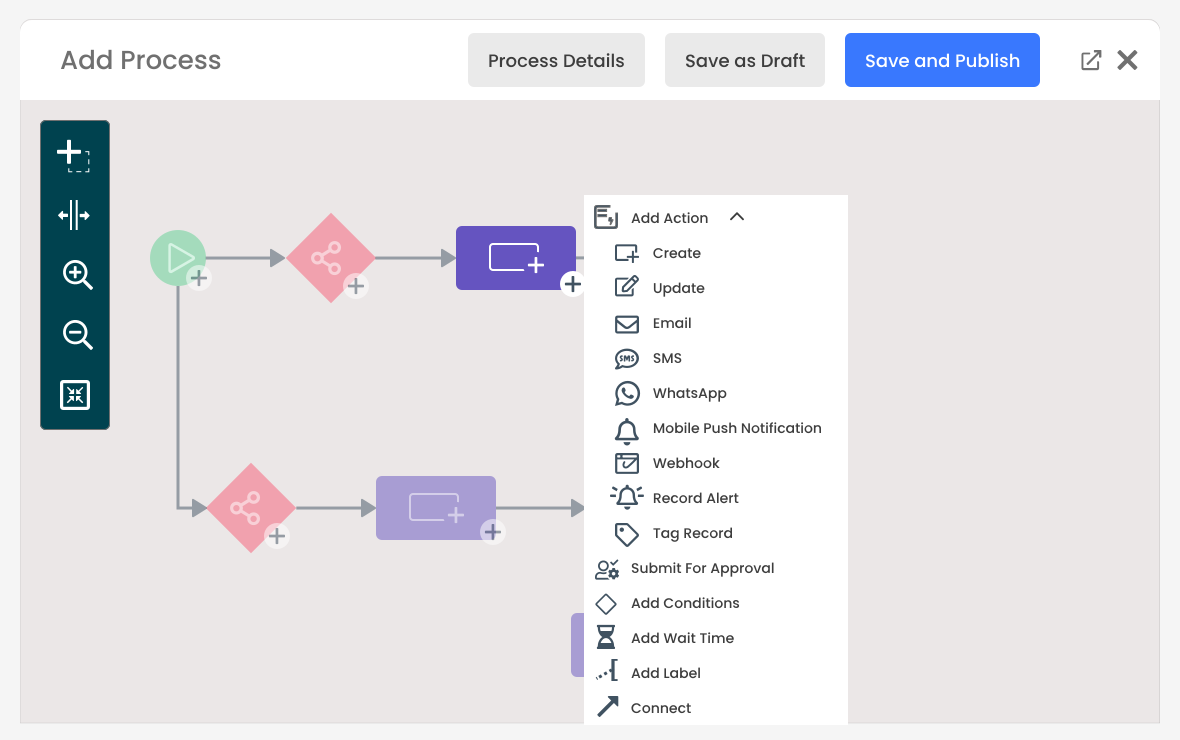
The Work Automations Module is designed to reduce manual effort by automating repetitive tasks within your CRM. With flexible rule creation, you can trigger specific actions based on conditions, ensuring processes run smoothly and consistently without user intervention. This not only improves efficiency but also helps teams focus on more valuable tasks.
Common Use Cases for Work Automations
Businesses across different industries use Work Automations to streamline everyday operations and improve customer experiences.
Some common examples include:
- Automatically assign new leads to sales representatives.
- Send welcome emails after a customer inquiry.
- Create follow-up tasks after a meeting.
- Notify managers when high-value opportunities are created.
- Update opportunity stages automatically.
- Schedule reminders before task due dates.
- Create support tickets from customer requests.
- Notify customers when project milestones are completed.
- Trigger approval workflows for quotations or invoices.
- Update customer records after completed activities.
These automations reduce manual intervention while ensuring important business processes never get overlooked.
Why Use Work Automations?
Work Automations transform your CRM into a smart assistant that works in the background. From sending alerts to updating records, it ensures your business runs faster, smarter, and with fewer mistakes — giving your team more time to close deals and build relationships.
How Work Automations Work
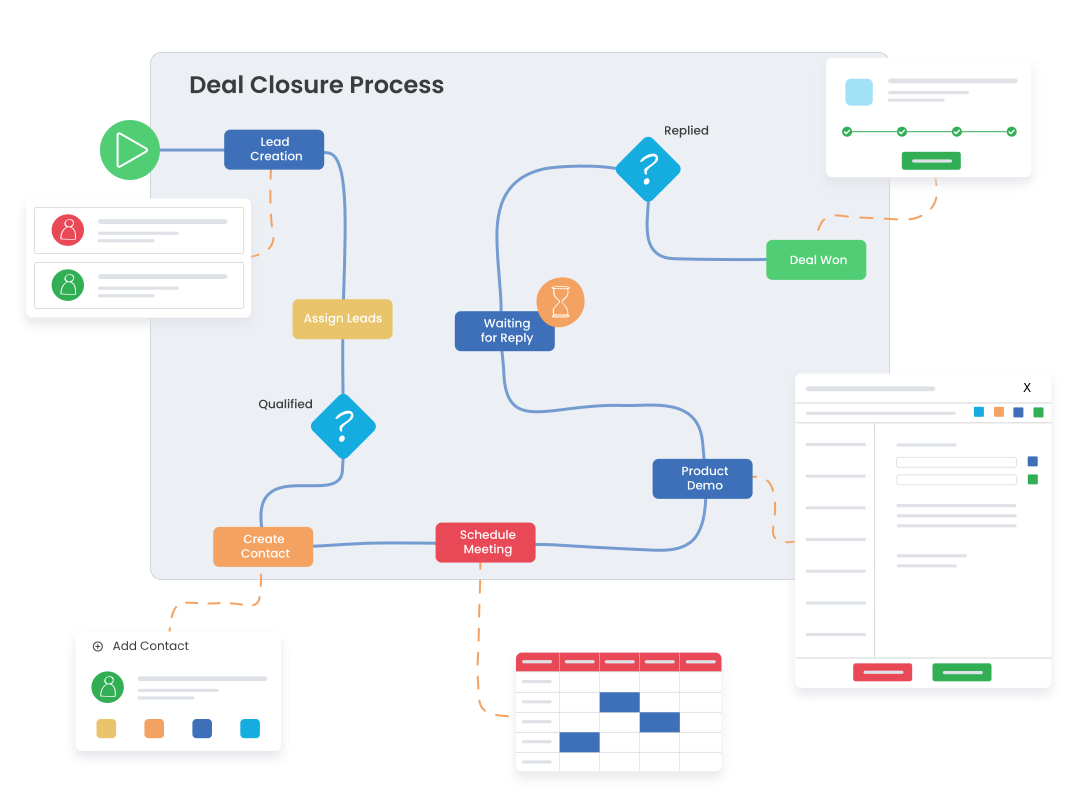
Creating automated workflows in ZARIS CRM is simple:
- Choose a Trigger: Select an event such as record creation, field update, or status change.
- Define Conditions: Specify when the automation should run using custom business rules.
- Configure Actions: Automatically send emails, update fields, assign records, create tasks, or notify team members.
- Activate the Workflow: Once enabled, Work Automations run continuously in the background without manual intervention.
Key Benefits of Work Automations in ZARIS CRM
The Work Automations feature in ZARIS CRM simplifies business processes by automating repetitive tasks and routine workflows. From sending notifications to updating records and assigning tasks, Work Automations increase efficiency, reduce human error, and ensure business processes run consistently without manual intervention.
Automate Repetitive Tasks
Save time by using Work Automations to automatically perform routine CRM tasks such as updating records, assigning owners, sending emails, and creating follow-up activities.
Improve Productivity & Efficiency
Allow your team to focus on customers instead of repetitive administration. Work Automations execute workflows instantly and consistently, reducing delays and increasing overall productivity.
Reduce Errors with Rule-Based Workflows
Create intelligent automation rules based on triggers and conditions to ensure every process follows the same workflow. Work Automations improve data accuracy and eliminate manual mistakes.
