 Skip to content
Tooltip Manager
- Home
- Zaris Features
- Tooltip Manager
Add Context Where It Matters Most
The Tooltip Manager in Zaris CRM helps you make your CRM more intuitive by adding custom tooltips to fields. These tooltips act as mini-guides, giving users quick explanations or instructions right where they’re needed whether as a simple hover tooltip or a popup with detailed information.
This ensures data is entered correctly, reduces confusion, and improves user adoption across your CRM.
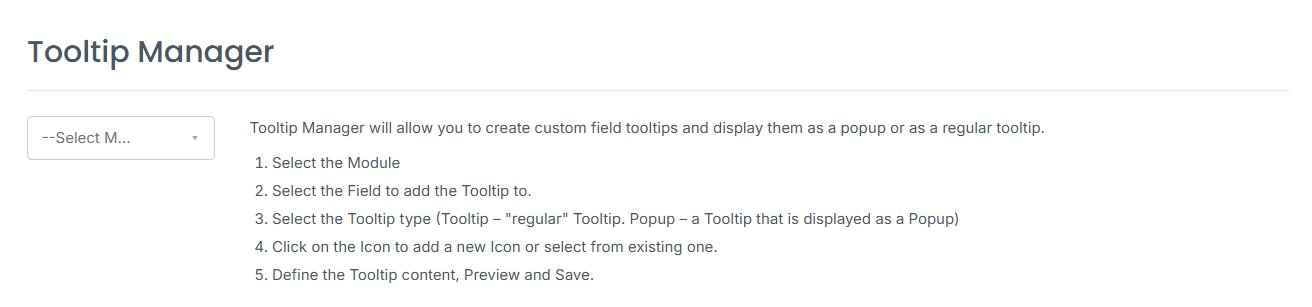
How Tooltip Manager Works
Select the Module – Choose the module where you want the tooltip (e.g., Leads, Contacts, Opportunities).
Select the Field – Pick the specific field that needs additional guidance.
Choose Tooltip Type –
Tooltip: A standard hover-over tip.
Popup: A larger tooltip displayed as a popup for more details.
Define Description – Write the tooltip text, preview it, and save for instant use.
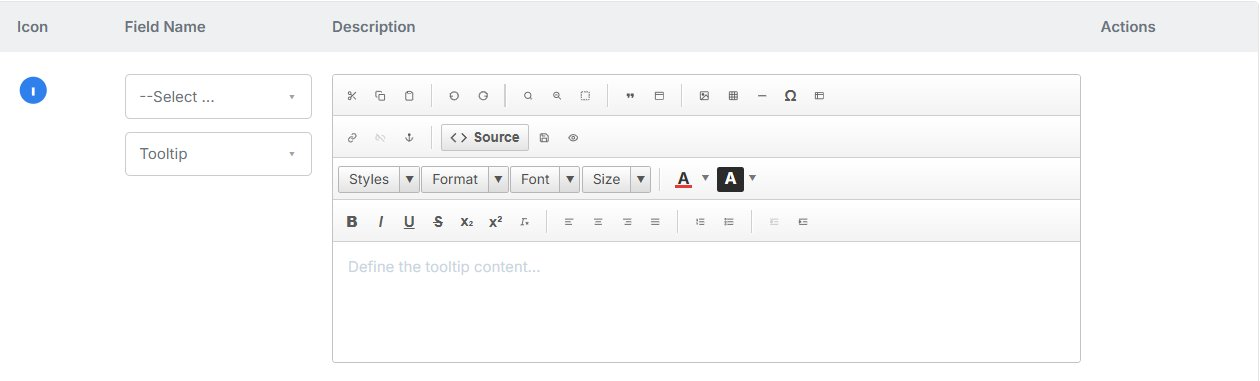
Why Use Tooltip Manager?
Data accuracy and user adoption are critical for any CRM. Without clear guidance, fields can be misunderstood, leading to errors, delays, and inconsistent reporting. The Tooltip Manager solves this by delivering context-sensitive help directly inside CRM forms.
Instead of lengthy manuals or repeated training sessions, users can simply hover or click on an icon to instantly understand what’s required. This ensures smoother workflows and more confident CRM usage across the organization.
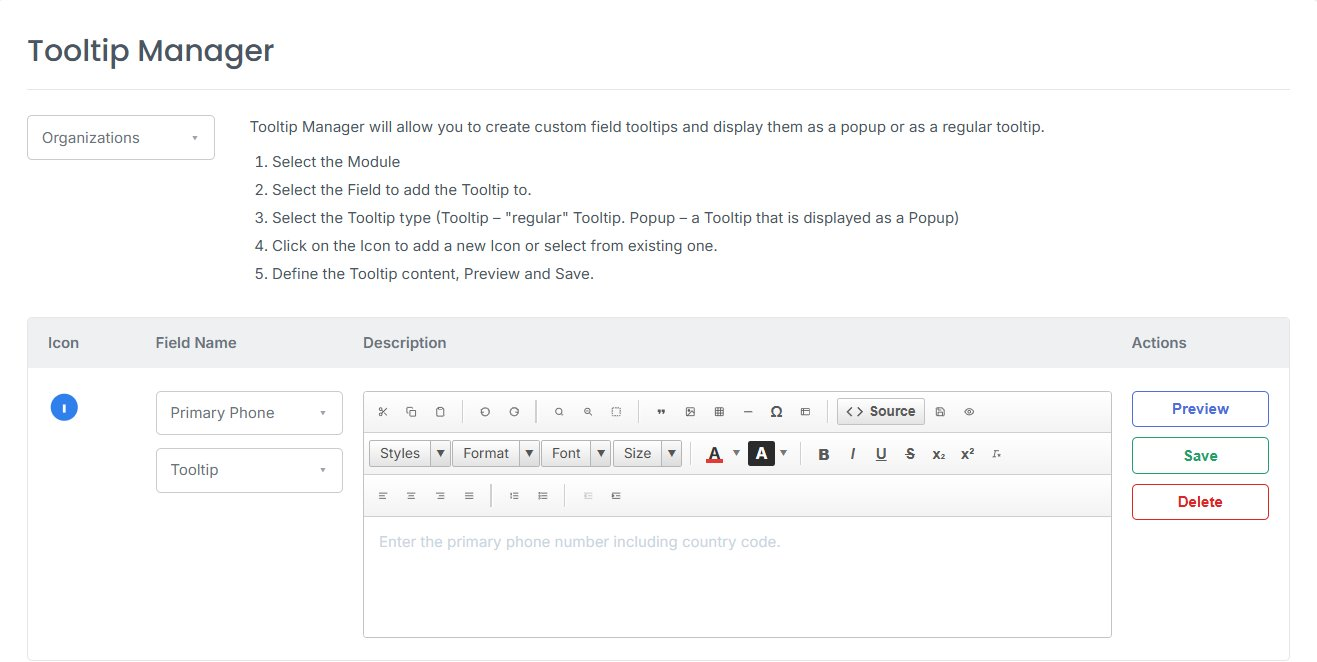
Benefits of Tooltip Manager
Faster Onboarding
New users can learn CRM fields quickly without needing extensive training.
Reduced Errors
Ensures accurate data entry by clarifying what each field requires.
Customizable & Flexible
Choose between simple tooltips or popup explanations depending on complexity.
