 Skip to content
Sharing Rules
- Home
- Zaris Features
- Sharing Rules
User Management - Sharing Rules
Zaris allows you to customize sharing access across the CRM.
You can choose who can see CRM records just by setting up some rules. So, if you do not want a user to view records in a module, you can simply hide them. All this with the help of Sharing Rules!
Sharing Rules for Secure CRM Record Access
The Sharing Rules feature in ZARIS CRM gives administrators complete control over how CRM records are shared across the organization. Define custom sharing permissions for users, roles, groups, or departments to ensure sensitive business information is accessible only to authorized team members. With flexible record visibility settings, Sharing Rules improve collaboration while maintaining strong data security and compliance.
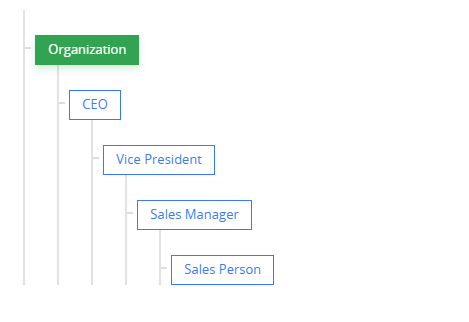
Understanding Default and Private Rules
By default, broad data access may be granted. To restrict data, setting a rule to Private is the most suitable option. When sharing rules are private, users can only view records:
Assigned to them directly.
That fall under their chain of command within the role hierarchy.
Note: Administrators have universal access and are not affected by Sharing Rules, Roles, or Profiles.
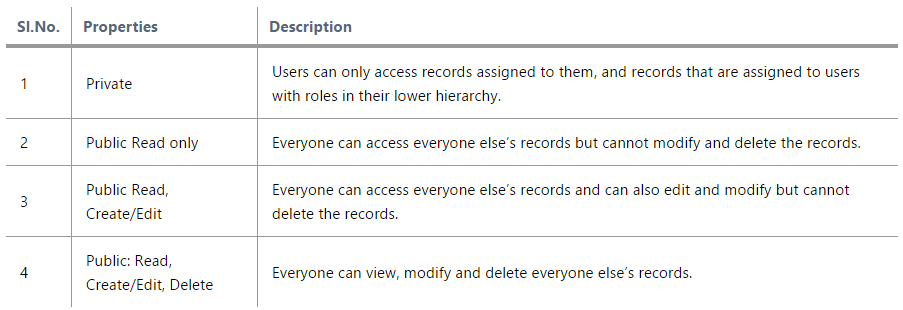
How to Configure Global Sharing Rules
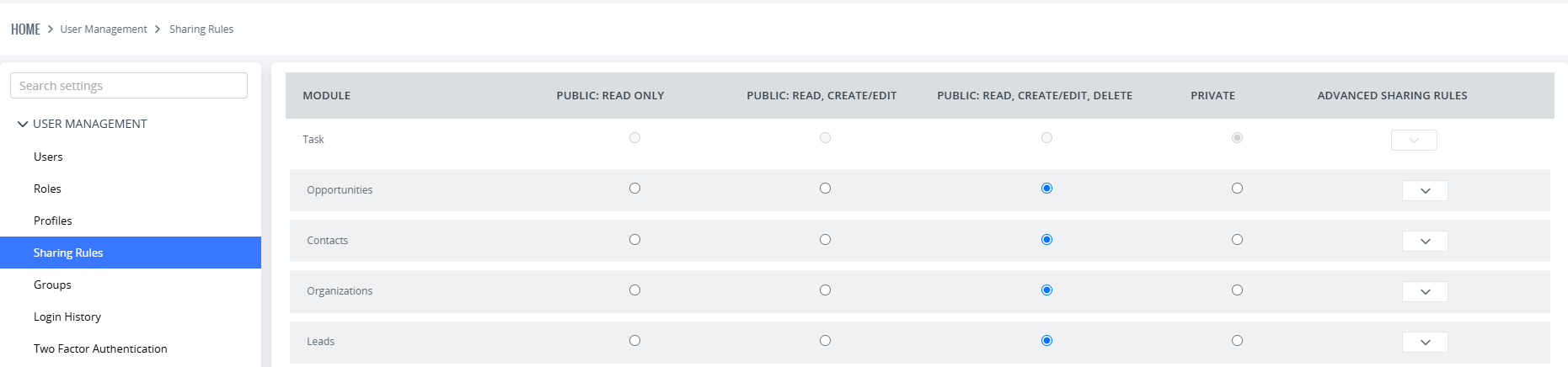
To define sharing rules on a large scale for your CRM:
Go to Settings.
Navigate to the User Management section.
Select Sharing Rules.
For each module, select the desired sharing rule using the radio buttons.
Click Apply New Sharing Rules to save and finalize your changes.
Important Note: Profiles and Sharing rules can be put together for diversity. This table explains the complicated procedure very thoroughly.
Granting Selective Access with Custom Sharing Rules
Zaris CRM’s Custom Sharing Rules provide a secure and precise way to grant data access outside the standard hierarchy, without compromising security.
Follow these 4 steps to create a custom rule:
- For every module, there is a drop-down menu under Advance Sharing Rules tab.
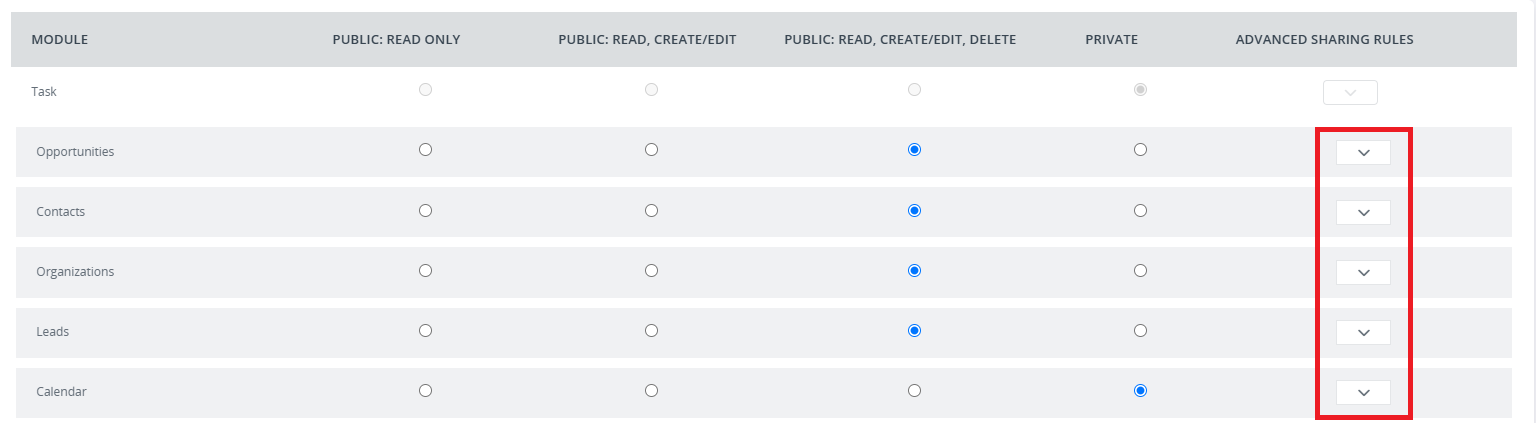
- In the menu, select + Add Custom Rule
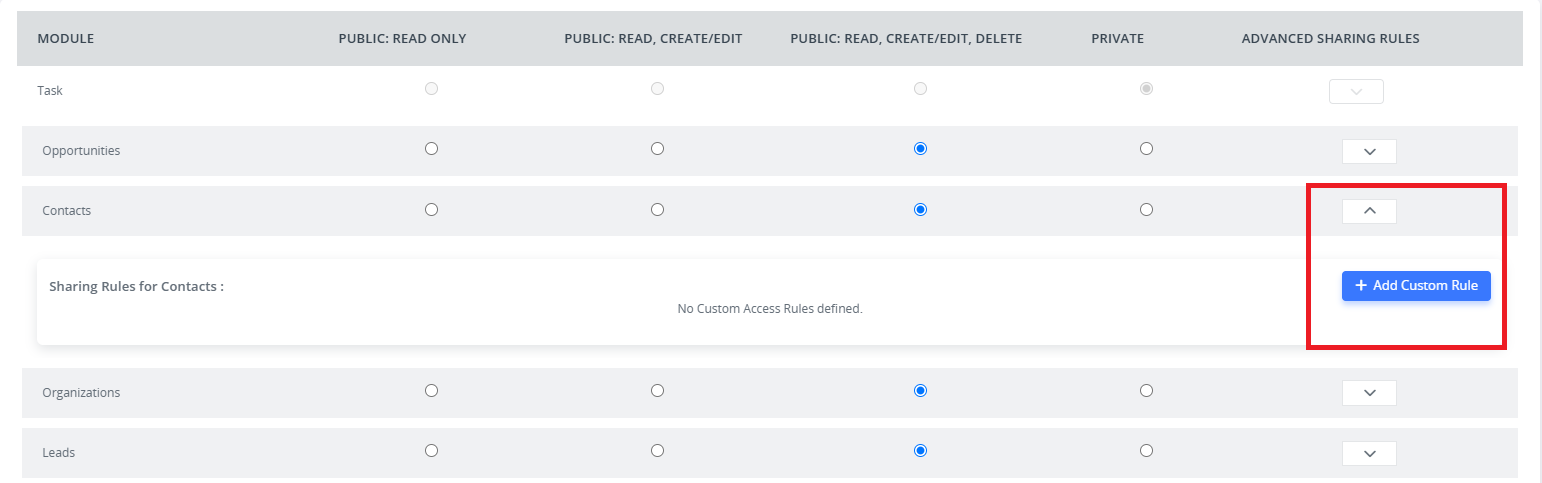
- A pop-up will appear asking basic requirements.
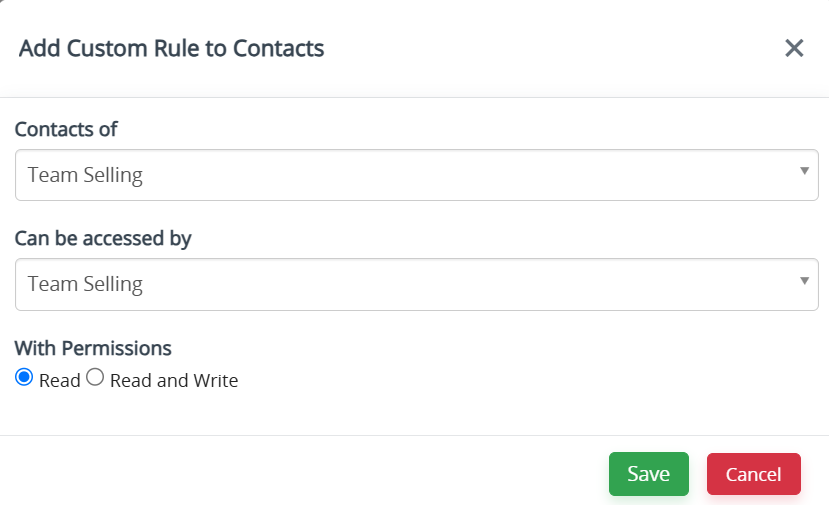
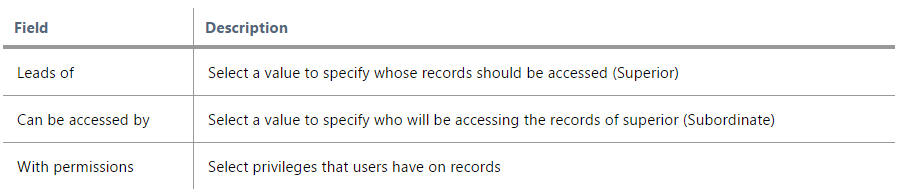
- Fill in the requested information for every module separately and Save
Key Benefits of Sharing Rules in ZARIS CRM
The Sharing Rules feature in ZARIS CRM helps organizations manage record visibility with precision. By defining custom access rules, businesses can protect confidential information, improve collaboration, and ensure every user only sees the records relevant to their role.
Control Record Visibility
Use Sharing Rules to decide exactly who can view, edit, or share CRM records. Protect sensitive information while ensuring employees have access to the data they need.
Strengthen Data Security
Safeguard confidential business information by creating secure Sharing Rules for users, roles, and teams. Reduce unauthorized access and support compliance with internal security policies.
Improve Team Collaboration
Share records with the right departments, groups, or individuals to encourage collaboration without exposing unnecessary information. Sharing Rules keep workflows efficient and organized.
