 Skip to content
Recycle Bin
- Home
- Zaris Features
- Recycle Bin
Recycle Bin Module — User Guide
The Recycle Bin Module ensures that no data is lost accidentally. Whenever a record is deleted from the CRM, it is first moved to the Recycle Bin. From here, users can either restore it back or permanently remove it adding an extra layer of safety and full control over data management.
Restore deleted records
Bring back accidentally deleted records with a single click back to their original module.
View deleted records
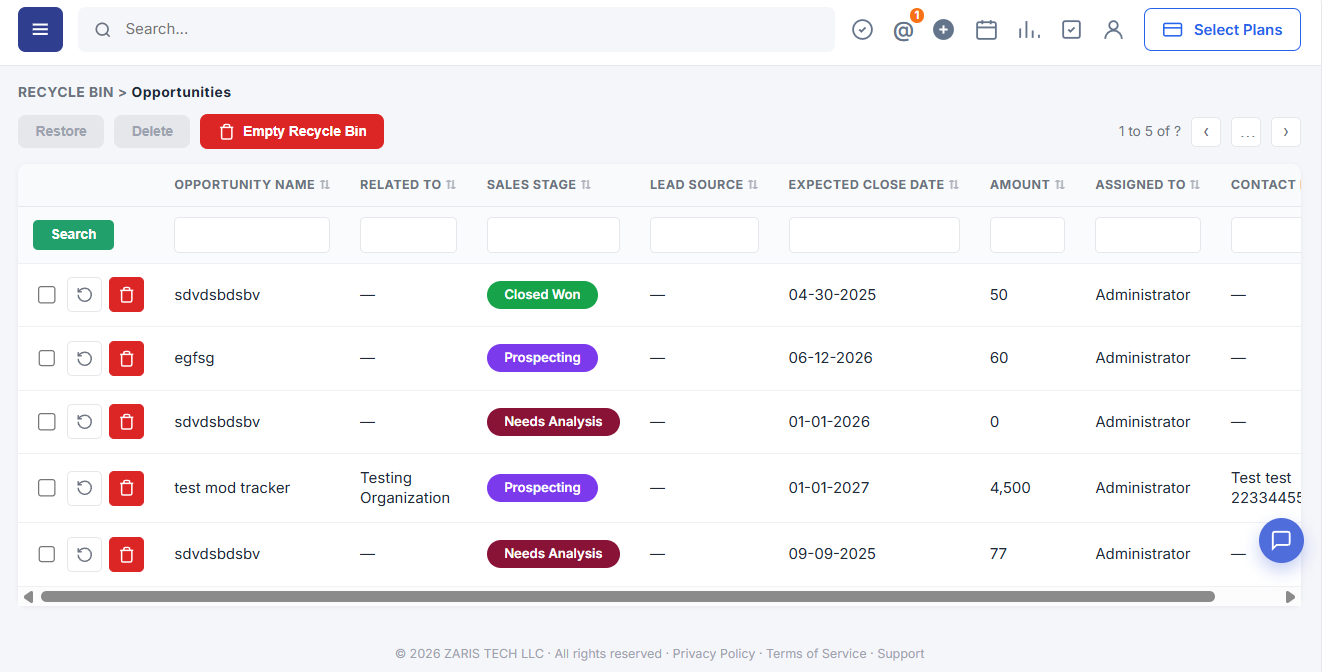
Clear list of all deleted records organized by module with column filters.
Empty Recycle Bin
Permanently remove all stored records in one action to free storage and optimize performance.
View Deleted Records
The module displays a clear list of all deleted records, organized by module. Verify data before deciding to restore or delete permanently with easy tracking and quick filtering.
- Easy tracking of removed records.
- Quick filtering by module for faster access.
- Transparency for data audits.
Key Features of Recycle Bin
The Recycle Bin Module provides complete control over deleted records, ensuring accidental data loss is never permanent. With options to restore, view, permanently delete, or empty all records, users gain flexibility and security in managing their CRM data.
Restore Deleted Records
Bring back accidentally deleted records with a single click. Restored records return to their original module and status saving time and keeping business continuity intact.
- Recover important client or project data instantly.
- Minimize the risk of permanent data loss.
- Records return to their original module and status.

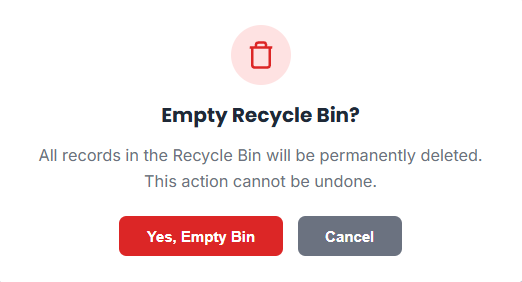
Empty Recycle Bin
With one action, users can empty the entire Recycle Bin, permanently removing all stored records. This frees up storage and keeps the CRM optimized and clean.
- Clears bulk records in one step.
- Prevents unnecessary data buildup.
- Keeps system optimized and clean.

Benefits of Recycle Bin Module
Data Security
Avoids accidental data loss by keeping deleted records recoverable.
Efficiency
Quickly restore or clear records without needing backups.
User Control
Decide what to recover and what to permanently remove.
