 Skip to content
Projects
- Home
- Zaris Features
- Projects
Manage projects from start to finish in one place.
The Projects module shows all ongoing and completed work in a structured list project name, URL, dates, type, progress, and status at a glance. Use filters and bulk actions, preview essentials in Quick View, open full Detail for milestones and tasks, update records with Quick Edit, and add projects instantly with Quick Create.
From plan to delivered project
Organized project list
Project name, URL, dates, type, progress and status pills filter by stage, client or due date and run bulk updates.
Quick View preview
Timeline, assigned team and status from the eye icon review multiple projects without opening each record.
Detail & milestones
Full breakdown of tasks, milestones, budgets, and linked clients with progress timeline and related documents.
All projects in one structured workspace
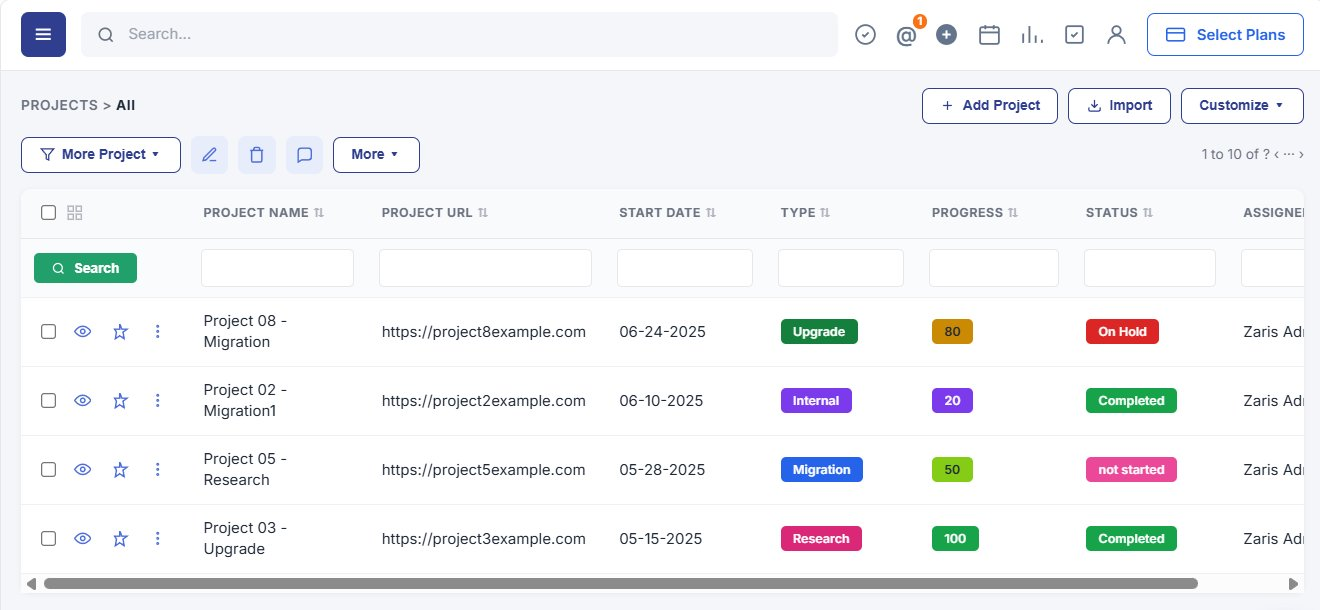
The main Projects page lists ongoing and completed work with project name, URL, start date, type, progress, status, and assignee. Filters for project stage, client, or due dates and bulk actions help managers update multiple records at once.
- Organized table view with PROJECTS > All and Add Project, Import, Customize.
- Type, Progress, and Status color pills for instant scanning.
- Per-column search and row actions: view, favorite, and more menu.
Instant Overview of Project Details
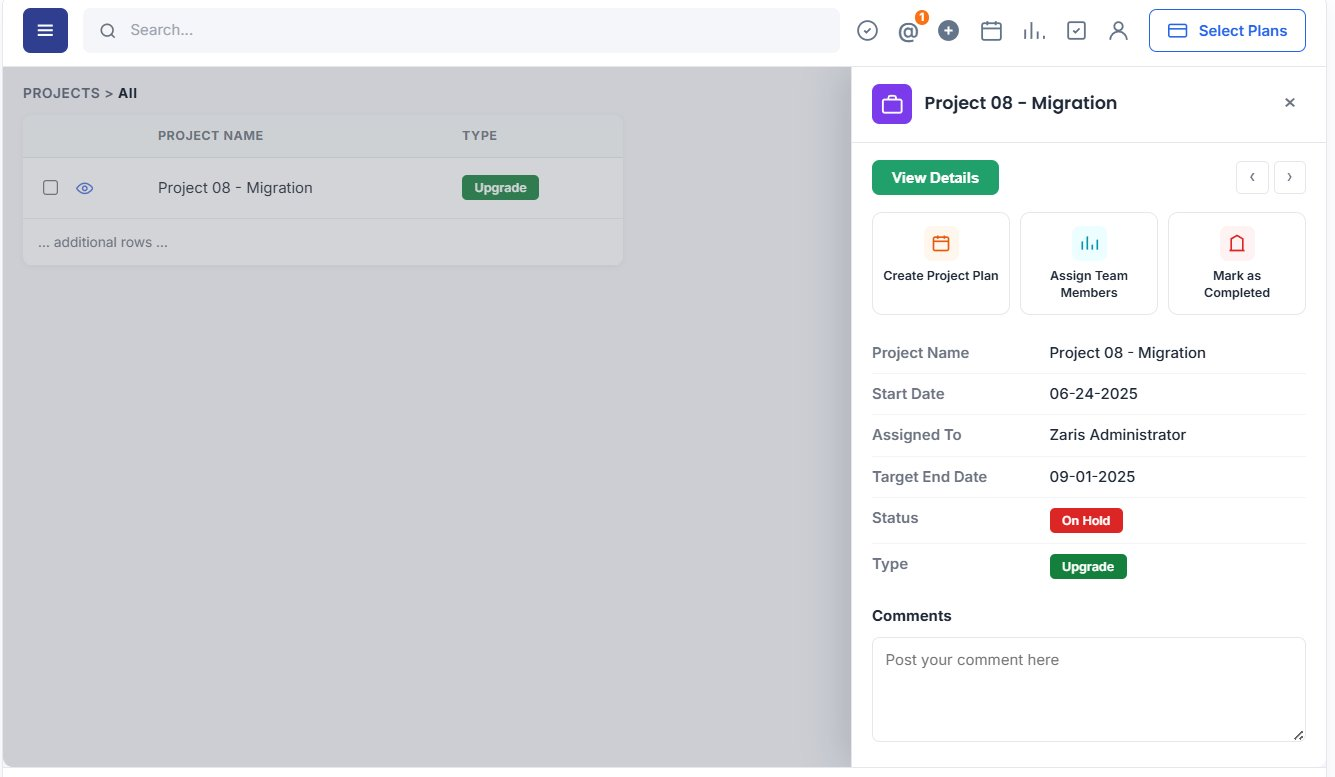
Quick View lets you preview timeline, assigned team, and current status without opening the full record. Check client and team assignments instantly and move between projects with previous/next arrows ideal when managers review multiple active jobs.
- Quick access to core project information from the list.
- Workflow shortcuts: Create Project Plan, Assign Team Members, Mark as Completed.
- Comment area to post updates without leaving the grid.
Easily update project records
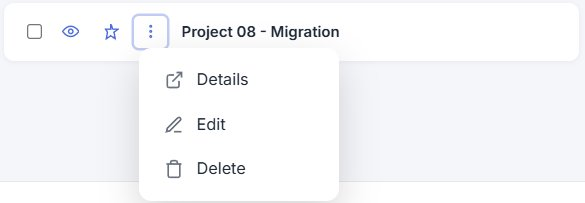
Double-click any project row to edit name, status, start date, end date, or assigned user inline. The ⋮ menu offers Details, Edit, and Delete fewer clicks and always up-to-date project information.
Comprehensive project information at a glance
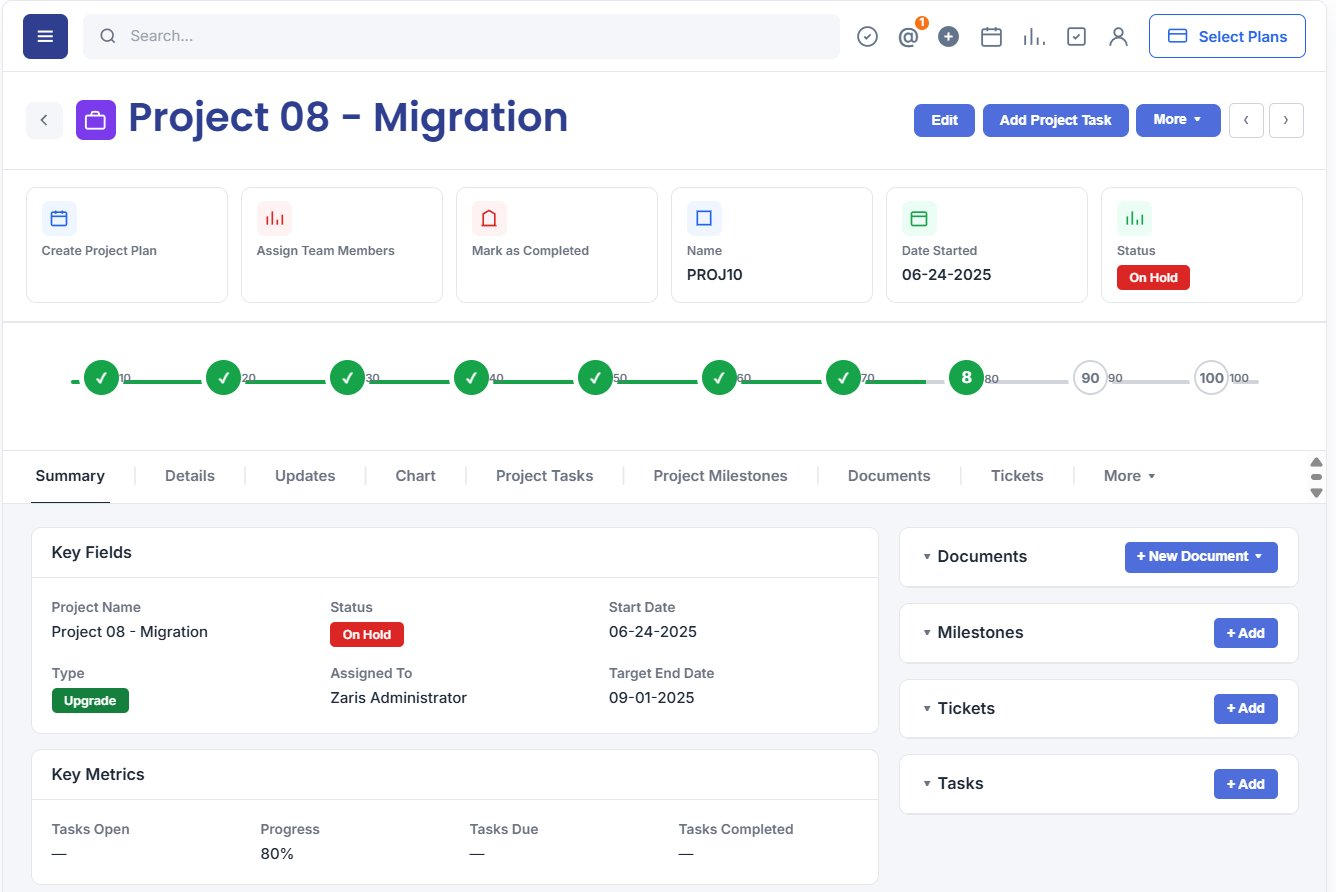
The Detail View provides milestones, tasks, team members, budgets, and linked clients or opportunities. A progress timeline from 10% to 100%, Summary tabs, and side widgets for Documents, Milestones, Tickets, and Tasks keep delivery on track.
- Full breakdown of milestones and tasks with deadlines and resource allocation.
- Progress timeline and key metrics: tasks open, due, and completed.
- Linked documents, tickets, and emails on one project record.
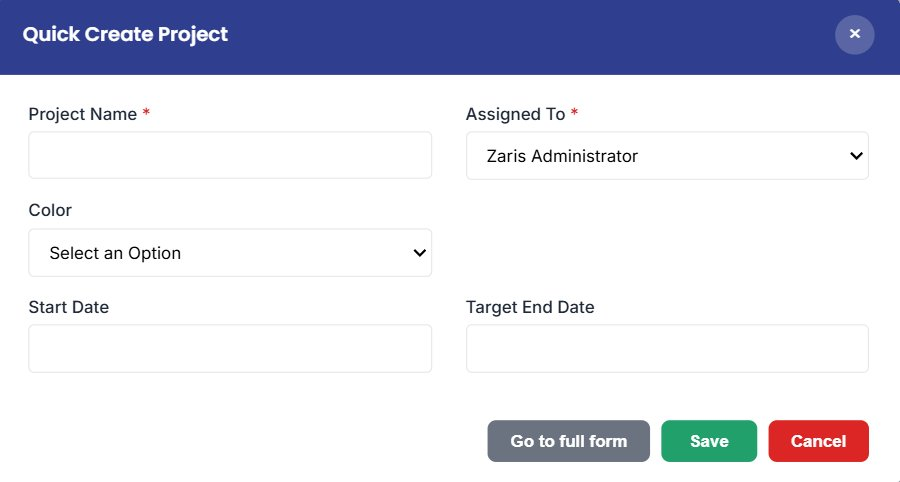
Quick Create Project
Add a new project in seconds enter Project Name, assign an owner, pick Color, and set Start and Target End dates. Save from the modal or open the full form for advanced planning fields.
- Project Name and Assigned To are required.
- Start Date and Target End Date with calendar pickers.
- Go to full form, Save, or Cancel from the modal footer.
Benefits of Projects
Deliver on time with one place for plans, people, and progress.
Centralized Project Management
Keeps all project information tasks, milestones, deadlines, and budgets organized in one place for better control.
Improved The Team Collaboration
Ensures teams work together efficiently by sharing responsibilities and keeping everyone updated.
Faster Project
Delivery
Helps managers identify risks, resolve delays quickly, and ensure projects are delivered on time.
