 Skip to content
Payments
- Home
- Zaris Features
- Payments
Transaction Management with Transparency
The main page provides a clear overview of all payments, including customer or vendor name, amount, method, date and status. It keeps financial transactions organized and accessible for finance teams and sales operations.
Centralized list
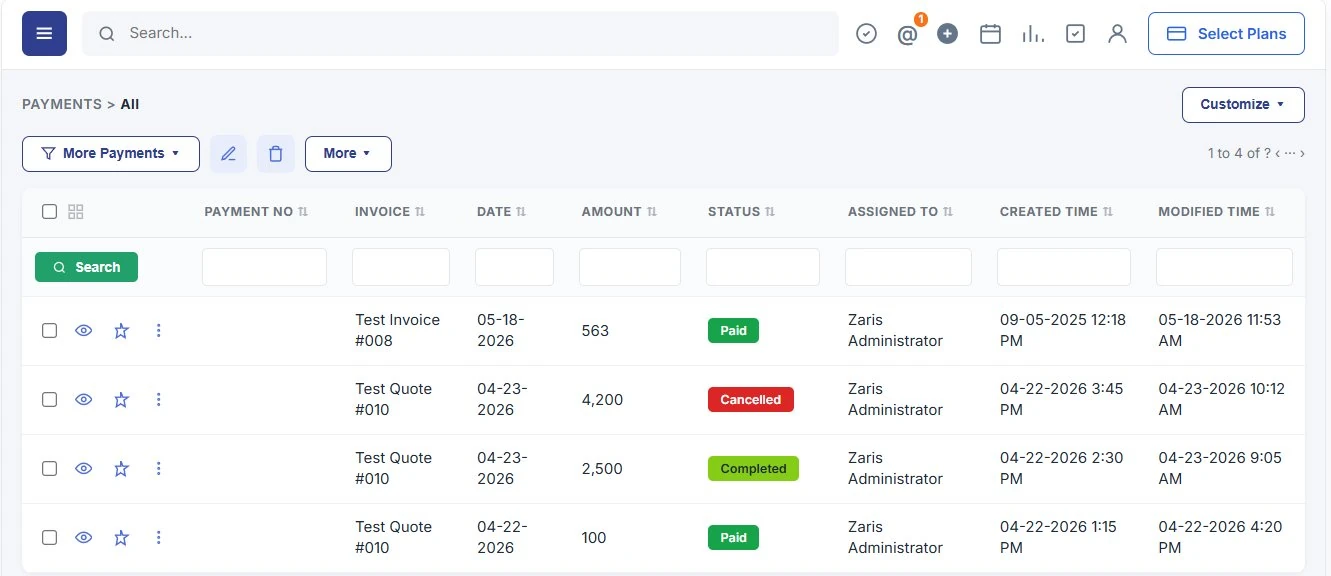
All payments in one table invoice link, date, amount, status and assignee with column filters.
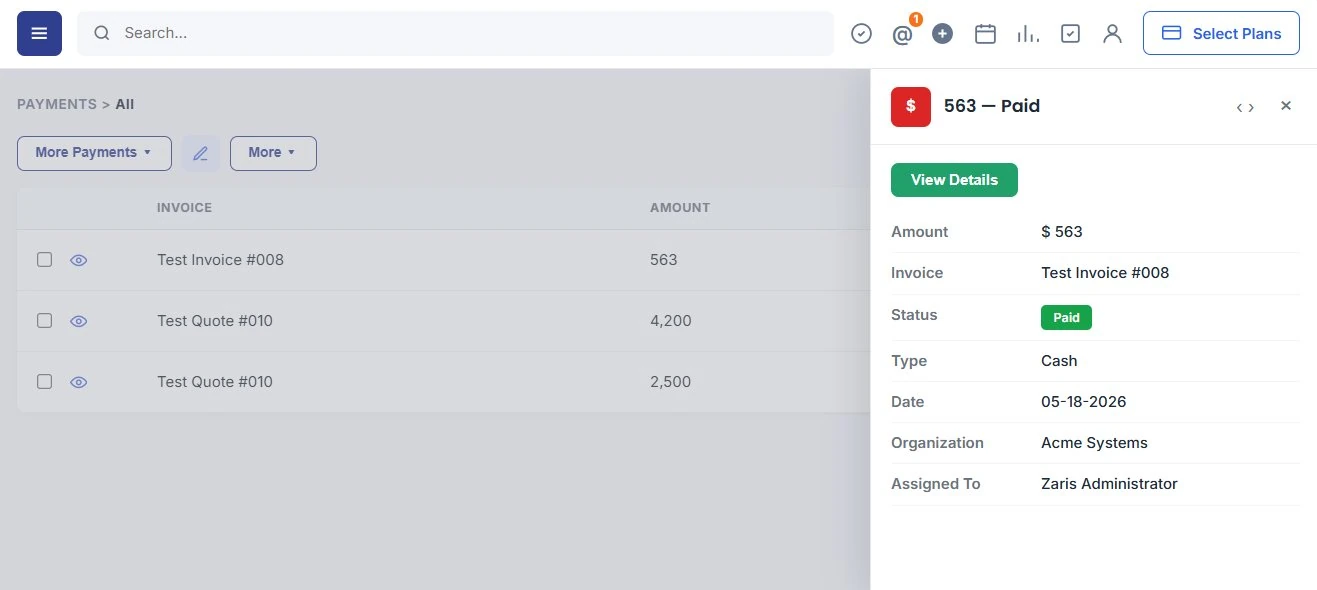
Quick View
Preview amount, status and invoice link from the list without opening the full record.
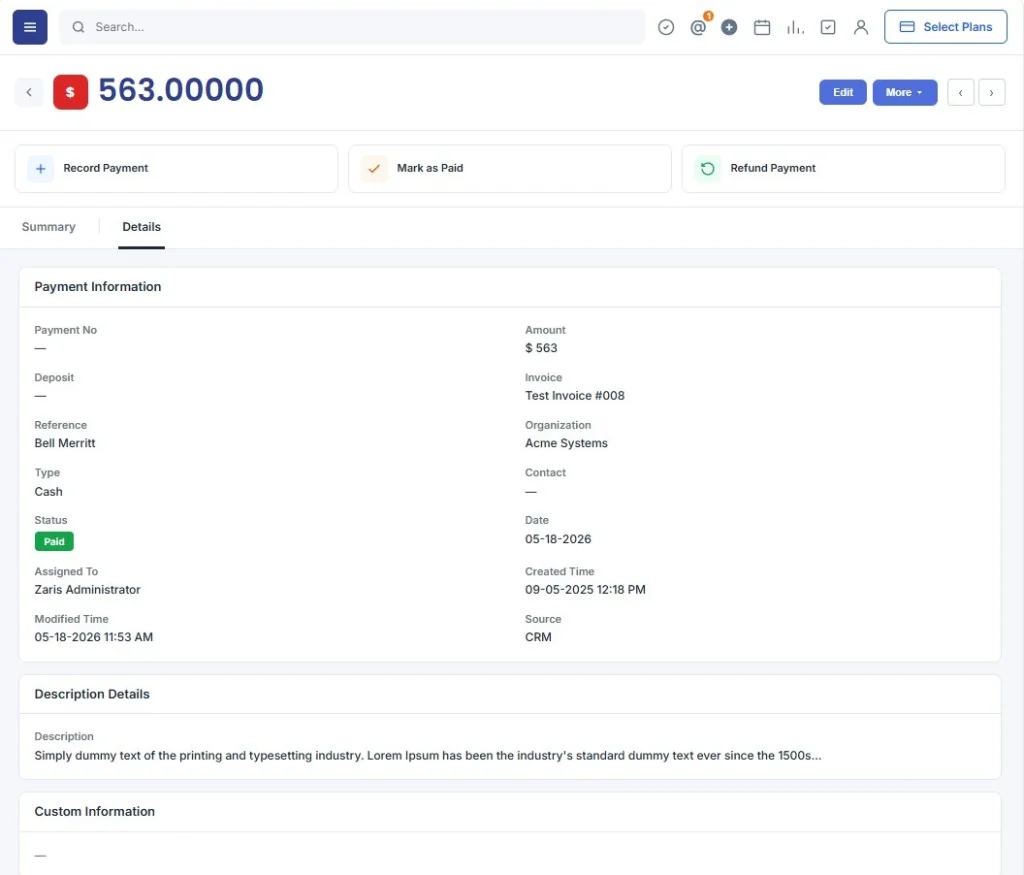
Detail & Quick Edit
Full payment breakdown with linked invoices, bank reference and inline edits from list or panel.
Centralized Payments Overview
The Payments list shows every transaction in a structured table payment number, linked invoice, date, amount, status, assigned user and timestamps. Use filters and sorting to find records quickly and run bulk updates for faster financial operations.
- Centralized payments table with filters for quick search.
- Easy sorting by customer, method or status.
- Bulk updates for faster financial operations.
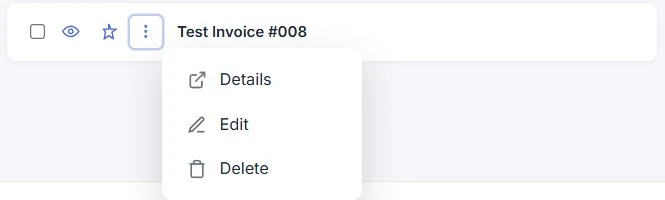
Instant Snapshot of Payment Records
Quick View allows finance teams to check critical details like amount, method, and invoice link instantly without opening the full record.
Quickly preview essential payment information.
Saves time when reviewing multiple transactions.
Immediate visibility into customer or vendor payments.
Comprehensive Payment Records in One Place
The Detail View provides full transaction details, including linked invoices, bank reference, applied balance and history for transparent reporting. Use action buttons to record, mark paid or refund payments from the summary screen.
- Complete breakdown of each payment record.
- Track invoice links and payment history.
- Ensure transparency in all financial activities.
Update Transactions Without Extra Steps
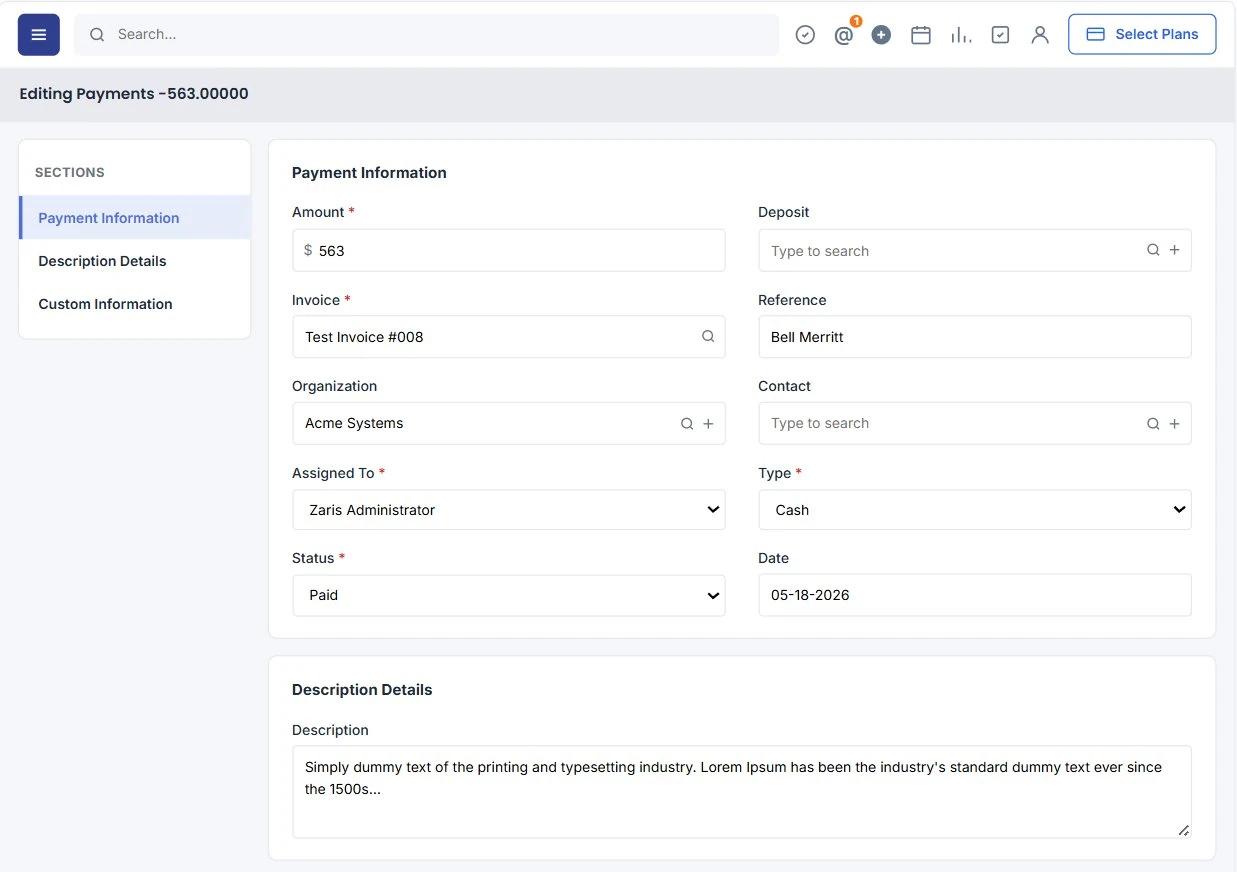
Quick Edits enable instant updates to payment status, method, or linked invoices directly from the list view or quick panel.
Edit fields instantly without loading the full record.
Link/unlink invoices in real time.
Maintain accurate and updated payment data.
Benefits of Payments Module
Centralized tracking, faster reconciliation and clearer cash flow visibility for your finance team.
Centralized Financial Tracking
Manage all payments in one place, ensuring accuracy and transparency for the finance team.
Faster Reconciliation
Instantly link payments with invoices, reducing manual errors and speeding up accounting workflows.
Better Cash Flow Insights
Real-time updates give businesses clear visibility into received and pending payments for smarter planning.
