 Skip to content
Custom Alerts
- Home
- Zaris Features
- Custom Alerts
Smarter Forms with Custom Alerts
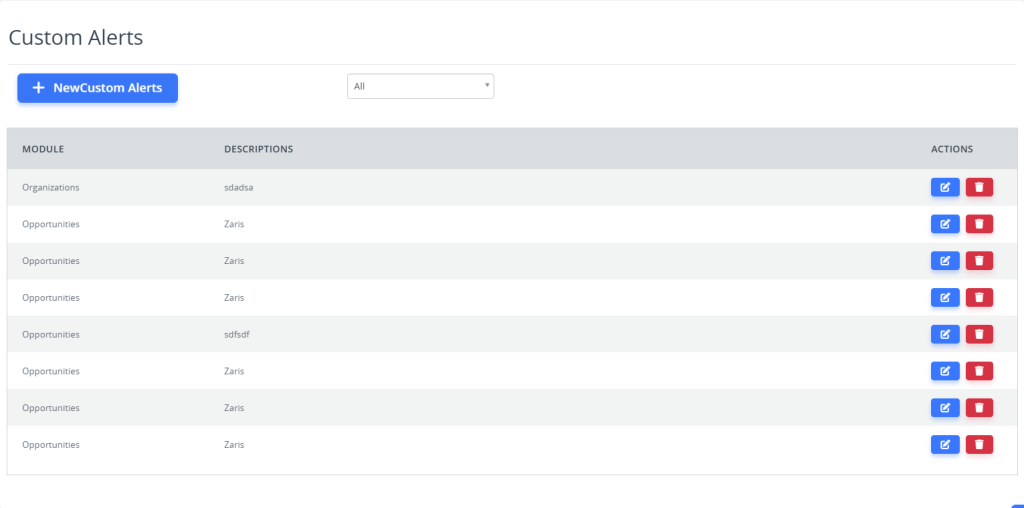
Module Path – Custom Alerts
Access the Custom Alerts module through the CRM settings:
- Home → Settings → Other Settings → Custom Alerts
From here, you can create and manage alert rules that notify users of important CRM activities and status changes.

Step-by-Step Guide to Creating Custom Alerts
Follow these simple steps to create automated alerts based on specific CRM activities. From setting basic details and defining trigger conditions to finalizing alert actions, each step ensures your team stays informed and responsive to important updates.
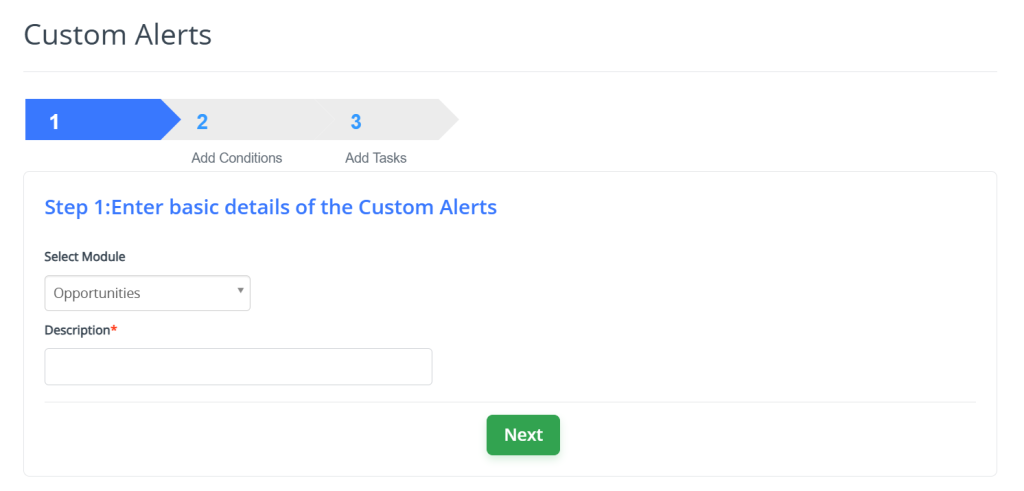
Step 1: Enter Basic Details
Select the module (e.g., Leads, Opportunities, Tickets) for which you want to create an alert.
Add a title and short description for easy identification.
Choose alert type such as Email, Popup, or In-App Notification.
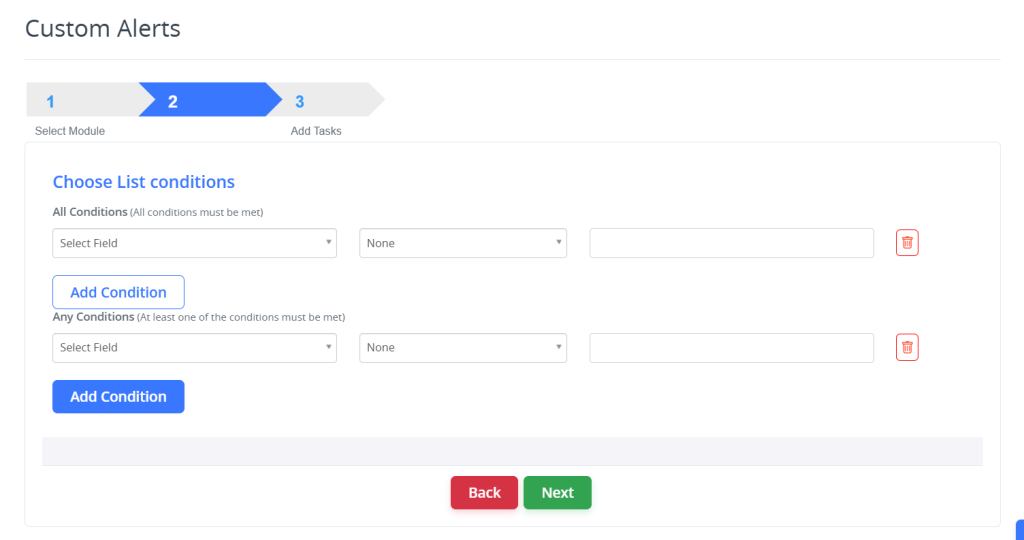
Step 2: Set Conditions
Define the specific conditions that will trigger the alert (e.g., when a record is updated, assigned, or reaches a due date).
Combine multiple conditions using All (AND) or Any (OR) logic for flexibility.
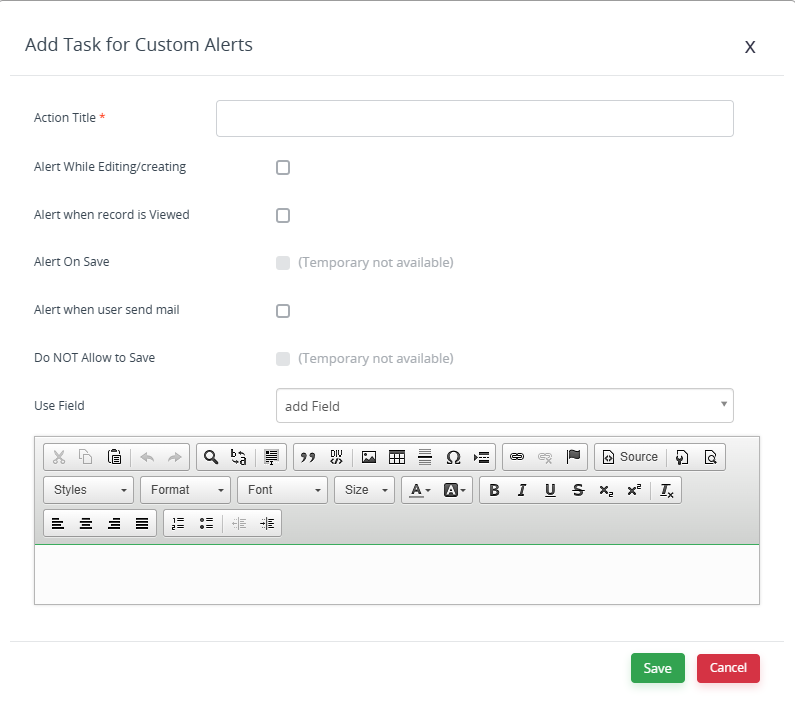
Step 3: Add Task & Finalize
Configure the alert message content and recipients.
Preview the alert and test to ensure proper functionality.
Save the configuration to activate the alert.
Benefits of Custom Alerts
Instant Notifications
Get real-time updates for important CRM events.
Improved Productivity
Automate alerts to reduce manual tracking and follow-ups.
Better Collaboration
Keep team members informed and aligned on key actions and deadlines.
