 Skip to content
Mail Manager
- Home
- Zaris Features
- Mail Manager
One Inbox for All Your Business Emails
The Mail Manager module in Zaris CRM lets you integrate and manage your email accounts directly from the CRM an integrated email client that turns incoming mail into Leads, Contacts, Organizations, Trouble Tickets and Tasks, for smoother communication and better productivity.
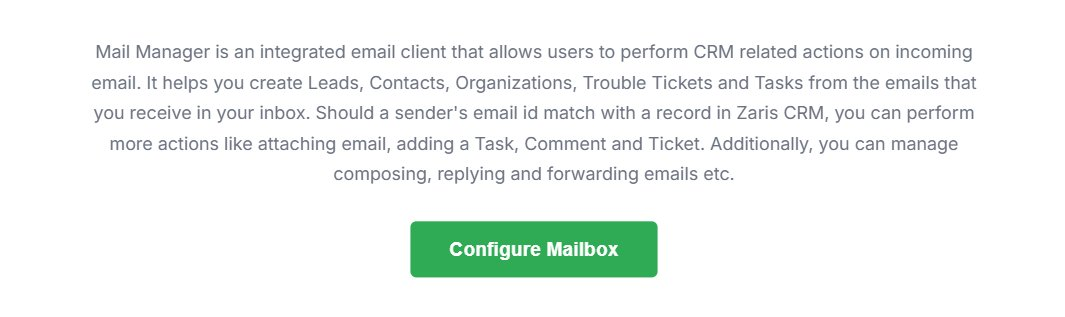
1. Configure Mailbox
Start by clicking Configure Mailbox to set up your email account. This option lets you connect your preferred email service such as Gmail, Yahoo, Fastmail or any custom mail server directly to Zaris CRM.
- Integrated email client built into the CRM.
- Perform CRM actions on every incoming email.
- Match a sender’s address to an existing CRM record.
2. Create Mailbox
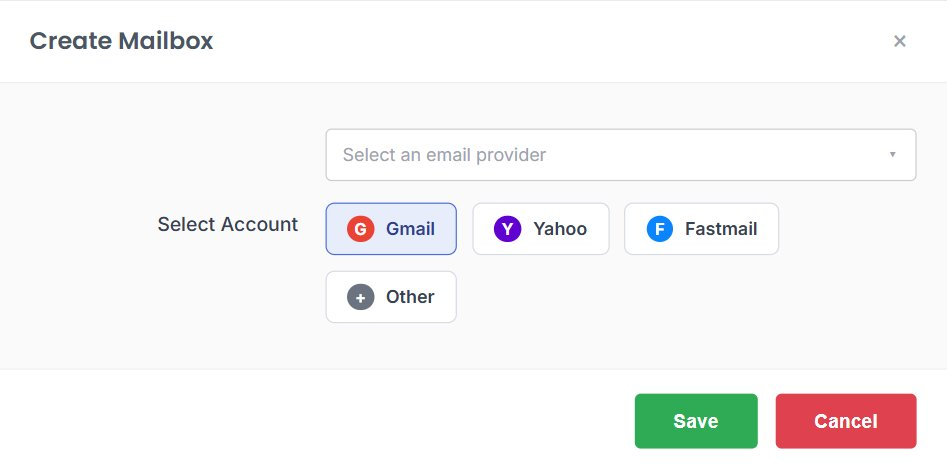
From the list of available email providers, select the one you use Gmail, Yahoo, Fastmail or Other. Each option has predefined settings to make configuration quick and simple.
- Pick a provider with one click.
- Predefined server settings auto-fill for you.
- Choose Other for any custom mail server.
3. Select Account & Configure Settings
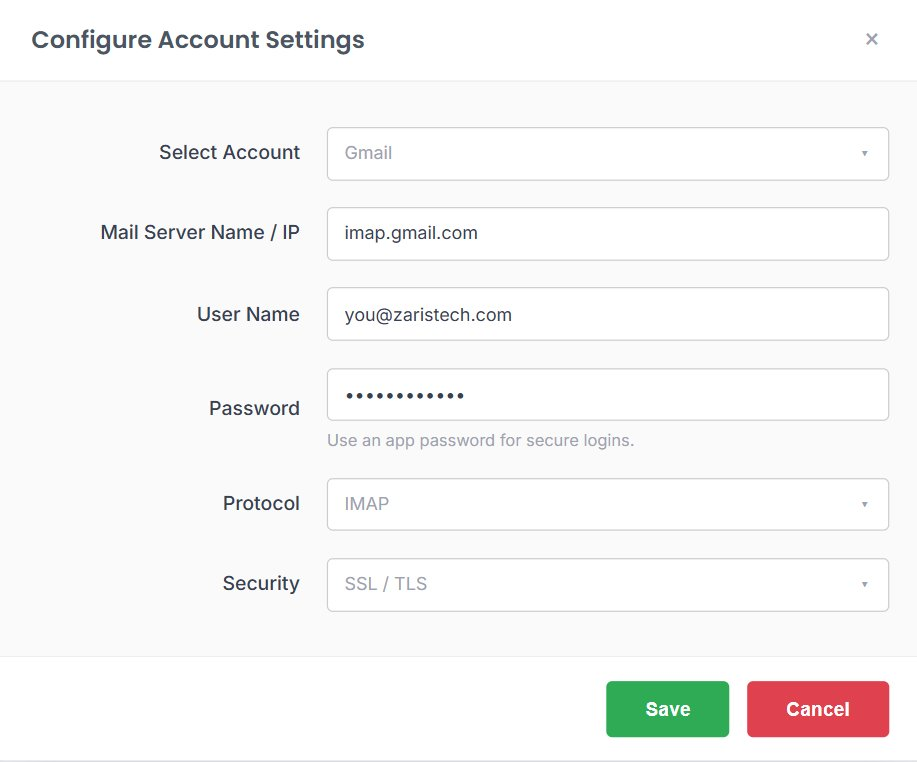
For your chosen email service, provide a few basic details to complete setup. Once you save, your email syncs automatically with the CRM every sent or received message appears directly inside Zaris CRM, keeping your workflow organized and connected.
- Mail Server Name or IP: e.g.
imap.gmail.comor your service’s IMAP server. - User Name: your mailbox email address.
- Password: your account password or an app password for secure logins.
- Protocol & Security: choose the IMAP protocol and enable SSL/TLS.
Benefits of Mail Manager
Centralized Communication
Manage all customer emails directly within CRM, ensuring no conversation is missed.
Contextual Conversations
Emails are automatically linked to leads, contacts, and opportunities, giving full customer history in one place.
Improved Productivity
No need to switch between email and CRM everything is accessible in a single dashboard.
